The Desktop AI Agent That Touches Your Files: Sandboxes, Trust, and a Local-Stack Version
You have 400 files in your Downloads folder. Receipts, contracts, screenshots, three versions of "final_report_REAL_final.docx". A human assistant would take one look and quit. An AI in a chat window can't help either — it can't see the folder, and even if you uploaded everything, it could only talk about the mess, not fix it.
What you need is an agent that can reach into the folder, sort, rename, extract, and write files back. Tools like Claude Cowork made this mainstream: you point the agent at a folder, describe the outcome, and it does the reading, moving, and writing. But the moment an AI can touch your files, one question matters more than any feature list: what exactly can it touch?
That question — the trust boundary — is what this post is about. We'll look at how sandboxed desktop agents work, why the sandbox is the feature, and then build the same pattern on a stack you fully control: a local model, a folder watcher, and n8n.
A desktop AI agent edits files on your computer instead of just chatting about them. Safe ones run inside a sandbox — a sealed container that can only see the folders you explicitly grant. You can buy that experience (Claude Cowork does this with mounted folders and a checkpoint system), or build a leaner version yourself: Ollama for the model, an n8n workflow watching a folder, and a rule that the agent only ever writes inside that one folder. Same pattern, full control, zero subscription. :::
Chat Gives Advice. Agents Give Deliverables.
The difference between a chat assistant and a file agent is the difference between a consultant and a temp worker. A consultant tells you how to reorganize the supply room. A temp worker actually moves the boxes.
In chat, the loop is: you copy text in, the model reasons, you copy text out, you do the manual work. With a file agent, the loop is: you describe the finished state — "every receipt renamed to YYYY-MM-DD vendor amount, sorted into month folders, with a summary spreadsheet" — and the agent performs the intermediate steps itself. Reading files. Creating folders. Renaming. Writing the spreadsheet.
| Chat assistant | Desktop file agent | |
|---|---|---|
| Input | What you paste | Folders you mount |
| Output | Text in a window | Real files on disk |
| Multi-step work | You do it | Agent does it |
| Mistakes | Wrong text | Wrong file moved |
| Trust boundary | Nothing at risk | Everything you grant |
That last row is the whole game. A chat assistant that hallucinates wastes your time. An agent with write access that misunderstands can rename your entire photo library. So the design question every desktop agent must answer is: how is the blast radius limited?
The Sandbox Is the Feature
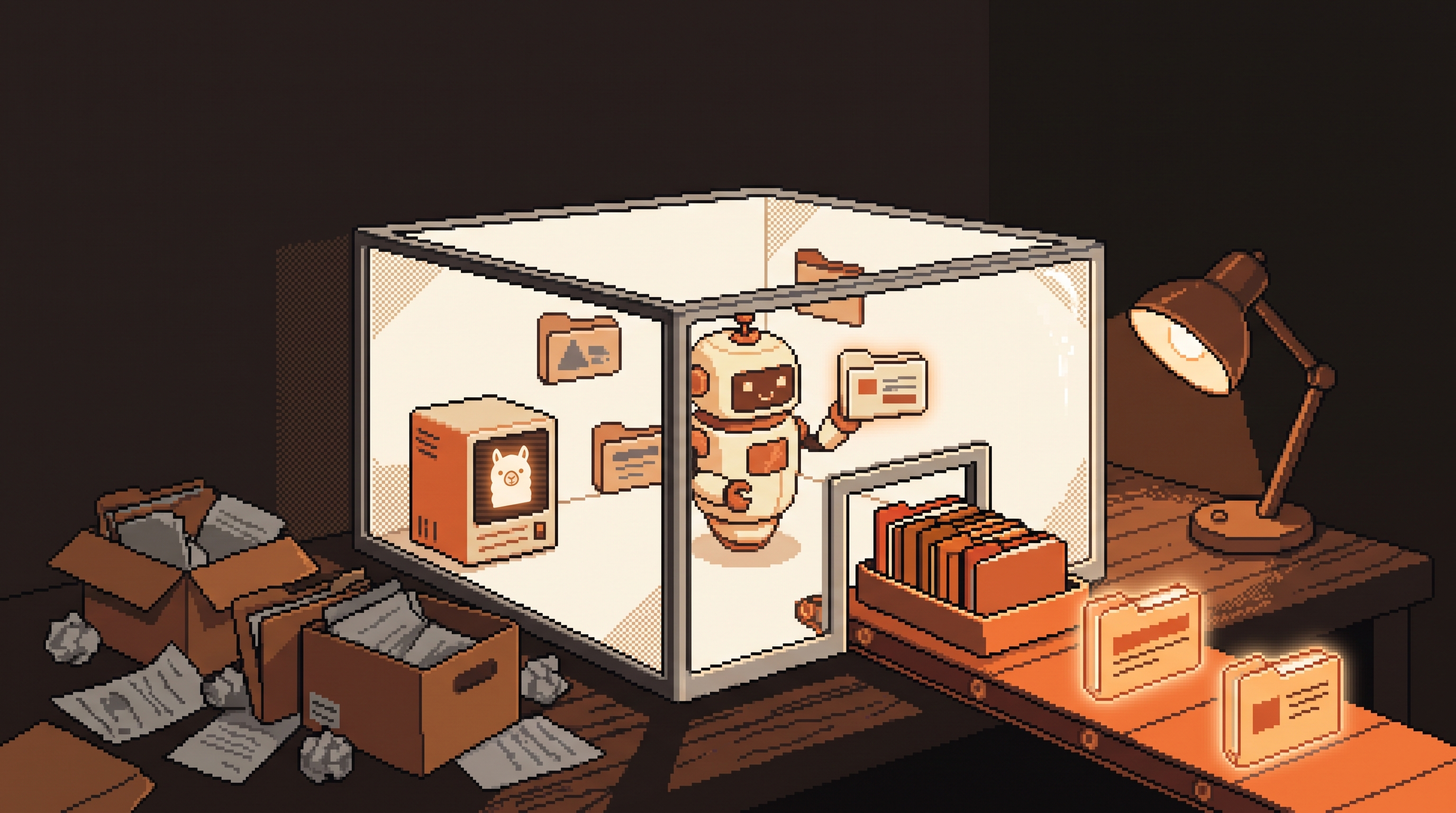
The serious desktop agents — Claude Cowork is the best-known example — run inside a sandboxed virtual machine. Think of it as a clean room with a mail slot. Inside the room, the agent has a full computer: it can run scripts, create files, install tools. But the only things from your real computer it can see are the folders you deliberately push through the mail slot. In Cowork's case, that's "mounting" a folder into the workspace.
Three properties make this work:
- Explicit grant. The agent sees nothing by default. You choose the folder. Unmount it and the agent goes blind.
- Write scope. The agent can create and modify inside its sandbox and the granted folders, but it cannot, say, delete files from your system drive or read your browser profile.
- Checkpoints. Good agents let you say "show me the plan before you touch anything" and step back if the result isn't what you meant. That's your undo button, and you should use it on every new task type.
This is the same architecture that makes browser sandboxes safe. It's not that the AI is trustworthy; it's that the architecture doesn't require trust. Assume the model will occasionally misunderstand you, and design so a misunderstanding costs you one folder, not your machine.
What File Agents Are Actually Good At
Across the use cases that recur — in Cowork, in its competitors, and in DIY stacks — the pattern is consistent: high-volume, rule-shaped, low-judgment work.
- Sorting and filing. Hundreds of files into a logical structure: by client, by month, by document type.
- Extraction into structure. Pulling dates, vendors, and totals out of receipts or invoices into one spreadsheet.
- Format conversion. A folder of images into a single PDF; a pile of
.csvexports into one normalized workbook. - Synthesis. Twenty project notes in, one executive summary out.
- First-draft documents. Reports and decks generated from source material, in real
.docx/.xlsx/.pptxfiles, not chat text.
What they are not good at: anything where a wrong output silently propagates — legal filings, financial records going to a third party, anything you couldn't review line by line if you had to. The agent is a tireless junior assistant, not a signatory.
The Same Pattern, Built Locally
Here's where the local-first crowd should perk up. The sandboxed-file-agent pattern is not magic. It is four components, and you can build every one of them on your own machine with no data leaving it:
- A model — Ollama serving a capable general model.
- A trigger — a folder being watched.
- A scope — one input folder, one output folder, nothing else.
- A review step — you look at the output before it's promoted anywhere.
The folder watcher is your sandbox. If the workflow literally cannot reference any path outside /inbox and /outbox, you've built a trust boundary out of plumbing — no virtual machine required.
Step 1: Prepare the folders and the model
mkdir -p ~/agent-work/{inbox,outbox,done}
ollama pull qwen2.5:14b
Give the model a standing contract. Write it to a file once:
# ~/agent-work/contract.md
You are a filing agent. You receive file contents.
Extract: date (YYYY-MM-DD), vendor or source, amount if present, document type.
Output ONLY a JSON object with those fields. No commentary.
Step 2: The n8n watch-and-extract workflow
In n8n (running locally, at localhost:5678 in a Docker container), the workflow is four nodes:
- Local File Trigger — watches
~/agent-work/inbox. - Read Binary File — pulls in the new file.
- Basic LLM Chain (Ollama Chat Model) — sends the contract plus the file's text to your local model.
- Write Binary File / Append to Spreadsheet — writes the JSON row into
~/agent-work/outbox/ledger.jsonland moves the source file todone/.
The Ollama credentials point at the model server on your own machine:
{
  "baseUrl": "http://localhost:11434",
  "model": "qwen2.5:14b"
}
Step 3: A shell prototype, if you'd rather skip n8n
The whole pipeline also fits in one script:
#!/usr/bin/env bash
for f in ~/agent-work/inbox/*; do
  content=$(cat "$f")
  ollama run qwen2.5:14b "$(cat ~/agent-work/contract.md)

$content" >> ~/agent-work/outbox/ledger.jsonl
  mv "$f" ~/agent-work/done/
done
That's it. A desktop file agent is a loop over a folder with a model in the middle. Commercial tools add the sandbox VM, the GUI, scheduled repeats, and mobile dispatch — genuinely useful polish — but the core is this dumb and this inspectable.
Step 4: Review before promote
The outbox is staging, not destination. Once a week, open ledger.jsonl, spot-check rows against the files in done/, and only then import into your real bookkeeping. This is the DIY version of checkpoints, and it's non-negotiable: an extraction error you catch in staging is a bug; one you catch in your tax filing is a problem.
Commercial vs. Local: An Honest Comparison
| Claude Cowork (hosted) | Local stack (Ollama + n8n) | |
|---|---|---|
| Setup | Install app, log in | Docker + Ollama + n8n, one afternoon |
| Model quality | Frontier models | Best local model your hardware runs |
| Sandbox | VM with mounted folders | Folder-watcher scope you enforce |
| Privacy | Files processed per provider policy | Never leaves your machine |
| Cost | Subscription + heavier token use | Electricity and RAM |
| Scheduling | Built in (/schedule, needs PC awake) | n8n cron trigger, always on if hosted on a box |
| Best for | Non-technical users, fast start | Tinkerers, sensitive data, permanent automation |
Neither is strictly better. If your files are non-sensitive and your team is non-technical, the commercial path saves a week. If the data is client-confidential or you want the automation to run forever for free, the local stack wins — and once built, it runs with zero marginal cost, which matters when you're processing thousands of files.
Guardrails Whatever Stack You Choose
Four rules keep file agents safe on any platform:
- Grant the smallest folder that works. Never mount your home directory. Make a work folder, copy material in, point the agent there.
- Demand the plan first. "Show me what you'll do before doing it." On DIY stacks, that's a dry-run mode that prints actions without executing.
- Keep the blast radius mechanical. The workflow should be structurally unable to write outside its folders — enforced by config, not by the model's good behavior.
- Review outputs on a cadence. Sampling ten rows weekly catches drift (models change, file formats change) before it becomes a spreadsheet full of confident nonsense.
Frequently Asked Questions
Can a desktop AI agent delete my files by mistake?
Inside a sandboxed agent, the risk is limited to the folders you mounted — which is why you mount a copy, not the original, for anything precious. On a DIY stack, make the workflow's write scope one output folder and keep backups of the input. Mistakes are recoverable if the blast radius is one folder.
Do I need a powerful computer to run the local version?
A 14B model needs roughly 16 GB of RAM and a modern GPU helps a lot for speed, but extraction-and-filing tasks also run acceptably on smaller 7B models. File sorting mostly needs consistency, not brilliance — the contract does more for output quality than raw model size.
Why not just use a cloud model with the same prompts?
You can, and for non-sensitive files it's often fine. The local stack earns its keep when the files are confidential, when volume makes API costs add up, or when you want the automation to run for years without depending on any vendor's pricing or product direction.
How is this different from a plain script with no AI?
A plain script needs rules you write for every format you meet. The model handles messy reality — a receipt as a photo, a contract as a scan, three different date formats — without a new regex for each. The pattern is: dumb, reliable plumbing for the moving parts; a model only for the interpretation step.
The file agent is the first AI shape that delivers work products instead of answers. Whether you rent one or build one, the discipline is identical: small grants, visible plans, mechanical blast radius, human review. Get those right and the temp worker never burns the office down.
Related posts

Escape the Average: Creative Prompt Techniques for Local LLMs
Local LLMs give generic answers by design. Fix it with Ollama sampling dials, ban lists, and constraint stacks baked into reusable Modelfiles.
Hire the Playbook: Claude Skills as Guided, Step-by-Step Workflows
Abandoned projects aren't waiting on motivation — they're waiting on structure. A skill file turns Claude from answer-dispenser into guide: plan decomposed, one step visible at a time, ELI5 on demand.

Map It First: Design Workflows Before You Automate Them
Automating an unmapped process just repeats the mess faster. Document reality, name an owner for every output, bound automation by risk — then hand the runbook to people or AI agents.