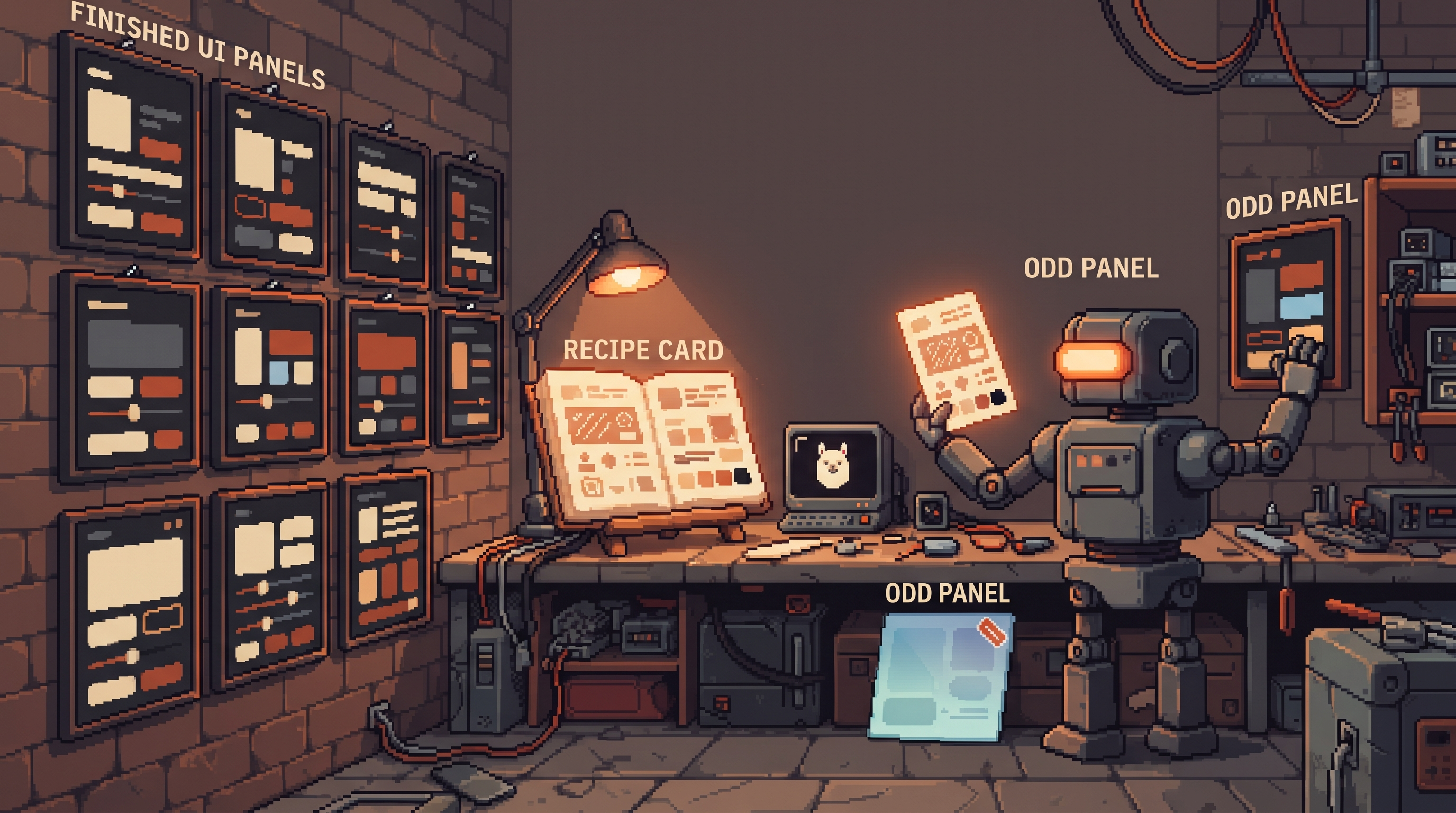
The settings page looked great. Ember accents, clean cards, a button you'd actually click. One hour later you asked the same agent for a pricing page — and got a different product. Blue links this time, pill-shaped buttons, a gradient banner, shadows with attitude. Same session, same project, same model. What happened?
Nothing broke. The agent just forgot — or more precisely, it never knew. UI style lives in context, and context is exactly what a coding agent doesn't carry between requests. Absent instructions, every generation defaults to the statistical average of web design: rounded corners, soft gradients, whatever-blue. The settings page was on-brand because you described what you wanted. The pricing page was on-average because you didn't.
The fix costs one file: DESIGN.md in the project root — a plain-text design system the agent reads before touching anything visual. It's the same "write your taste down" move as persona files and rubrics, pointed at pixels instead of prose. And it works with every agent — cloud or local — because it's just markdown.
A DESIGN.md file keeps AI-generated UI consistent by giving the coding agent a written design system in the project root: color tokens with usage rules, typography hierarchy, component specs, and explicit do-nots like "no gradients." Reference it from your agent instructions so every visual generation reads it first. Then enforce it mechanically: a small lint script greps generated code for non-token hex values and banned patterns, so style drift fails the build instead of shipping. The file gives the agent the recipe; the lint makes it stick.
Two Files, Two Jobs
Most projects with AI coding agents already carry a technical instruction file — CLAUDE.md, AGENTS.md, whatever your tool calls it. The common gap is visual. Split the roles cleanly:
| File | Answers | Contains |
|---|---|---|
AGENTS.md / CLAUDE.md | "How do I build here?" | Commands, architecture, folder conventions, test rituals |
DESIGN.md | "What should it look like?" | Tokens with roles, type scale, component specs, do's and don'ts |
The classic failure isn't a bad agent — it's a project with a strong technical file and no visual one. The agent generates perfectly-structured React components wearing whatever clothes the training-data average suggests. Structure was specified; style wasn't.
Tokens Are Ingredients; Decisions Are the Recipe
The first version everyone writes is a token list — hex codes and spacing values. It fails quietly: give an agent a palette without roles and it will happily use your brand ember as a full-page background. Ingredients, no recipe.
A working DESIGN.md attaches a decision to every token. Here's a real one — this blog's own palette, written the way an agent can follow:
# DESIGN.md

## Theme
Warm, calm, technical. Density: comfortable; no dashboard clutter.

## Colors — roles, not just values
- background  #1e1714 (deep charcoal) — page background ONLY
- card        #292524 (stone)         — elevated surfaces
- border      #33302e                 — 1px card borders; no shadows on cards
- text        #faf5ef (cream)         — all body and heading text
- accent      #e8935a (ember)         — primary CTAs and ONE highlight per view.
                  NEVER a page background, never body text
- sienna      #d36b31                 — problem/before states only

## Hard rules
- No gradients anywhere in the UI
- Cards: 1px border, no drop shadow
- One accent color interaction per screen — if two things glow, one is wrong
- Radius: 8px on inputs/buttons, 12px on cards, nothing else

## Typography
- One family. Headings 600 weight; body 400. Line-height 1.6.

## States
- Hover: lighten token 8%; never introduce a new hue
- Disabled: 40% opacity; never remove the border
Read the difference: "accent is #e8935a" is an ingredient; "ONE highlight per view, never a background" is a decision. Decisions are what stop the pricing-page mutation.
Wiring It Into the Agent
The file does nothing until the instructions point at it. One line in your agent-instruction file makes it load-bearing:
## UI generation
Read @DESIGN.md in full before generating any visual component.
Apply its tokens and rules strictly. If a requested design conflicts
with DESIGN.md, stop and ask instead of improvising.
That last sentence matters more than it looks — it converts style conflicts from silent mutations into visible questions. And because the mechanism is "a file the agent reads," it's tool-agnostic: cloud agents and local coding setups (a local model behind an agent like Continue, Cline, or Aider) all consume markdown instructions the same way. Local models actually need this more — smaller models drift to the average harder, and constraints are how you pin them.
One placement note: keep DESIGN.md at the project root and keep it short enough to read in full — a hundred lines beats five hundred. The file also solves the session-reset problem for free: your context window management can get aggressive about clearing old conversation, because the design system lives in a file that gets re-read, not in chat history that needs to be preserved at all costs. Durable context belongs in files; the window is for the task at hand.
The Part Nobody Does: Lint the Drift
Here's the upgrade that turns a good practice into a system: the DESIGN.md is written for the agent, but it's structured enough that a dumb script can enforce it. Style drift is grep-able.
# design_lint.py — fail the build on style drift
import re, sys, pathlib

TOKENS = {"#1e1714", "#292524", "#33302e", "#faf5ef", "#e8935a", "#d36b31", "#fdba74", "#a8a29e"}
BANNED = [r"gradient\(", r"box-shadow:", r"border-radius:\s*(?!8px|12px)"]

violations = []
for f in pathlib.Path("src").rglob("*.{css,tsx,jsx}"):
    text = f.read_text(encoding="utf-8")
    for hexv in set(h.lower() for h in re.findall(r"#[0-9a-fA-F]{6}", text)):
        if hexv not in TOKENS:
            violations.append(f"{f}: rogue color {hexv}")
    for pat in BANNED:
        for m in re.finditer(pat, text, re.I):
            violations.append(f"{f}: banned pattern {m.group(0)}")

print("\n".join(violations) or "design: clean")
sys.exit(1 if violations else 0)
Run it as a git hook, a CI step, or an n8n job on every PR — the point is that drift now fails loudly instead of accumulating until someone notices the settings and pricing pages belong to different companies. Note what this split does to cost: judgment-heavy work (designing the system) stays human and written-once; enforcement is deterministic, so the cheap tier — a local model, a grep, a script — handles it forever.
| Agent reads DESIGN.md | Lint enforces DESIGN.md | |
|---|---|---|
| Nature | Probabilistic | Deterministic |
| Catches | Bad first drafts | Anything that slipped through |
| Cost | Tokens per generation | Zero |
| Failure mode | Occasional drift | Red build, exact file |
Don't Write It From Scratch
Two honest shortcuts. First, steal structure: community libraries like awesome-design-md collect design files written in this format — studying a couple of good ones teaches the shape faster than any guide. Second, extract your own: point a model at screenshots of your best existing screen and ask it to reverse-engineer the tokens, spacing scale, and rules into a DESIGN.md draft, then edit the decisions by hand. The model is decent at ingredients; you supply the recipe.
The extraction prompt is short:
Here are two screenshots of our existing product.
Reverse-engineer a DESIGN.md: color tokens (hex) with the ROLE each
plays, spacing scale, radius values, type hierarchy, and the 5 rules
you infer (e.g. what gets emphasis and what never does).
Mark anything you're unsure about with a question — don't guess roles.
The "mark anything you're unsure about" line does real work: it converts the model's quiet guesses into a review checklist. You'll get six or seven flagged questions — each one is a design decision you've been making implicitly, now forced into the open where you can write it down once and enforce it forever.
Make It Practical Tonight
- Write a ten-line DESIGN.md for your current project — theme, tokens with roles, three hard rules. Ten lines enforced beats 200 ignored.
- Add the one-line reference in your agent instructions, including the "stop and ask" clause.
- Drop the lint script in and run it once on your existing codebase — the rogue colors it finds are your accumulated drift, inventoried in one pass.
- Re-generate one old page under the new regime and diff. That diff is the whole pitch.
The settings page and the pricing page were never two designs. They were one design, specified once — and a file is where "once" lives.
Frequently Asked Questions
The agent followed DESIGN.md for hours and then drifted. Now what? Long sessions dilute instructions; that's context, not disobedience. Two fixes: end the reference in your instruction file so the agent re-reads rather than recalls, and keep visual generations in shorter sessions — the design system is precisely the context that survives session resets. If drift still lands, the lint catches it, and the fix is regenerating with the file referenced again.
Isn't this what component libraries already solve? Partially — if you generate with your existing components, you inherit their styles. But agents constantly emit new small UI (a one-off modal, a marketing page, an email template) where no component exists yet. DESIGN.md governs exactly those cases: the moments the agent must style something from nothing. Component libraries and design files are complements, not substitutes.
Does this work with local coding models, or only the big cloud agents? It works with anything that reads markdown instructions — and smaller local models benefit most, because they default to the statistical average even harder than frontier models. The pairing to aim for: local model + strict DESIGN.md + the lint as the deterministic backstop. The lint, notably, doesn't need a model at all.
How do I handle legitimate exceptions, like a themed marketing page? Put the exception in the file, not in the moment. An "Exceptions" section — "landing pages may use #fdba74 as background during campaigns" — keeps the system honest, because the alternative is the agent or developer quietly overriding in code, which is exactly the drift the lint will flag. Rules plus named exceptions; never silent ones.
Related posts

Escape the Average: Creative Prompt Techniques for Local LLMs
Local LLMs give generic answers by design. Fix it with Ollama sampling dials, ban lists, and constraint stacks baked into reusable Modelfiles.
Hire the Playbook: Claude Skills as Guided, Step-by-Step Workflows
Abandoned projects aren't waiting on motivation — they're waiting on structure. A skill file turns Claude from answer-dispenser into guide: plan decomposed, one step visible at a time, ELI5 on demand.

Map It First: Design Workflows Before You Automate Them
Automating an unmapped process just repeats the mess faster. Document reality, name an owner for every output, bound automation by risk — then hand the runbook to people or AI agents.