Most people's Claude journey is a random walk. They learn features in the order the internet served them: a viral prompt here, a Projects tutorial there, vibecoding hype last week. Six months in, they own a toolbox full of features and no idea what order the skills actually stack in — or why the model still occasionally does something that makes no sense to them.
The missing layer is almost always the same one: the fundamentals. Not prompting techniques — an actual mental model of what a Large Language Model is doing. People skip it because it sounds academic, and then pay for the skip forever: hallucinations feel like betrayal instead of expected behavior, generic output feels like the model being lazy instead of missing context, and every new feature arrives with no foundation to set it on.
This guide is the ordered path: fundamentals first, then conversational fluency, then the collaboration layer (Cowork, Skills, voice), and finally building real software — including the deployment wiring most guides wave away. (The blog already has deep dives on each station — the six-level ladder, the Skills trilogy, the vibecoding guide — linked throughout. This piece is the map that orders the journey and adds the layer everything else skips: why the machine behaves the way it does.)
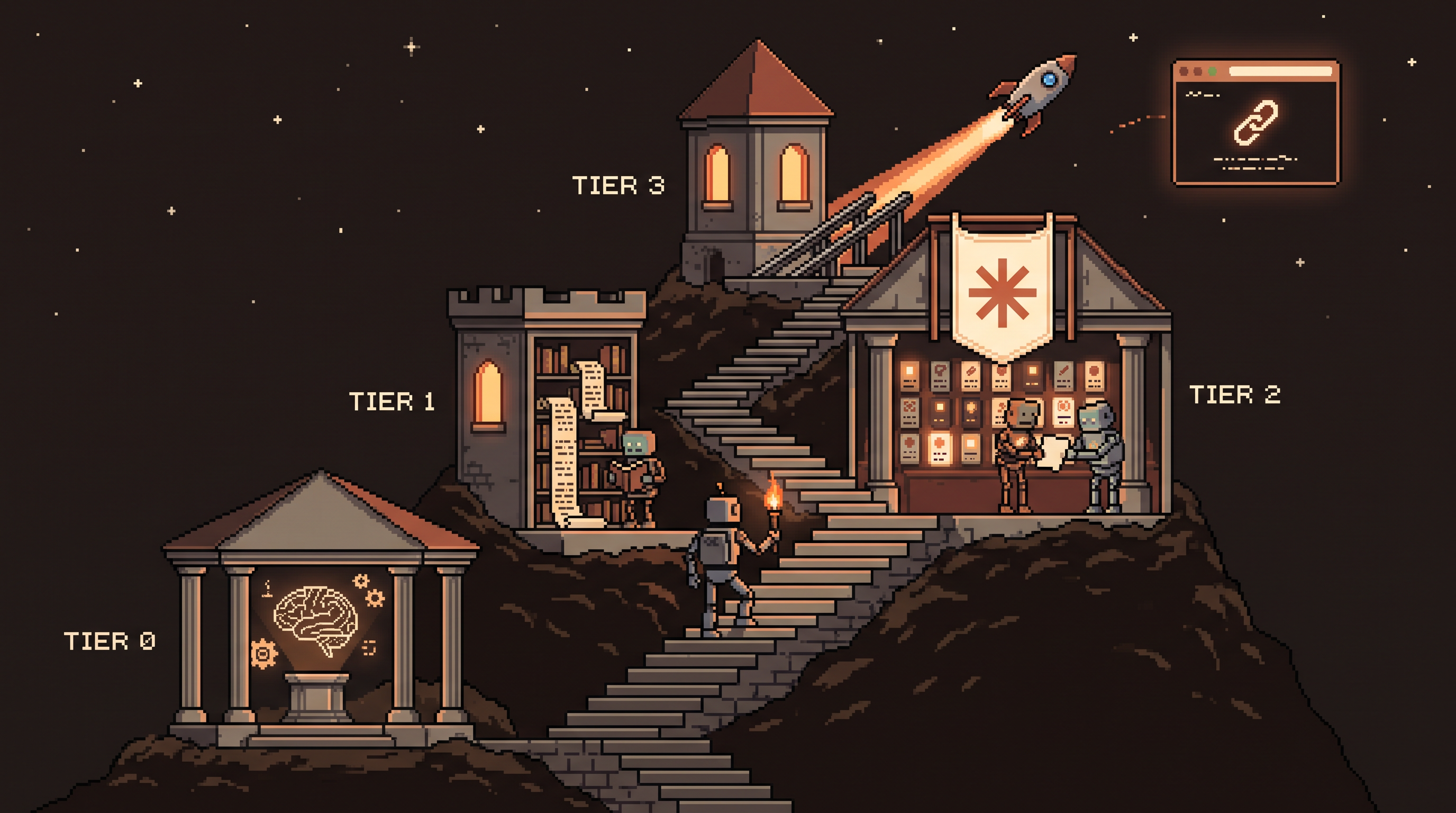
Learn Claude in four stages, in order. First, fundamentals: understand LLMs as next-token predictors over a context window — this alone explains hallucination, generic output, and why briefings beat prompt tricks. Second, fluency: drafting, long-document analysis, summarization, iterative brainstorming. Third, collaboration: Cowork for structured recurring work, Skills for reusable processes, sample-based style transfer to kill the AI voice. Fourth, building: vibecoding with Claude Code through to live deployment — repo, hosting, working URL. Each stage makes the next one cheaper.
Stage 0: The Fundamentals Nobody Teaches
Ten minutes of model literacy prevents months of confusion. Three facts carry most of the weight:
- A language model predicts likely continuations. It generates the most plausible next token given everything before it. "Plausible" is not "true" — which is why a model can state a fabricated court case with total confidence. Hallucination isn't lying; it's prediction without a fact to anchor on.
- Everything lives in the context window. The model sees your conversation (and files, and instructions) — nothing else. It doesn't know your business, your last project, or what you meant but didn't say. Generic output is the average of everyone's context because yours was missing.
- Output quality tracks input quality. Constraints, examples, and specifics beat adjectives. This is why the interview technique — "ask me questions first" — outperforms any cleverly worded command.
mental model cheat-sheet:
model misbehavior     ->  actual cause
"it made things up"   ->  prediction without an anchored fact
"it's generic"        ->  missing context; it averaged the world
"it forgot my rules"  ->  context decay in long threads
"prompt magic"        ->  better briefing, not better words
With that model in your head, every feature below stops being a trick and becomes an obvious application.
Stage 1: Conversational Fluency
Before features, get fluent in the plain chat surface — it's still where most daily value lives:
- Drafting across formats: emails, posts, docs — with the fundamentals applied (context and constraints in the briefing)
- Long-document analysis: load a 100-page PDF and interrogate it — "where do these chapters contradict each other?" is a different class of question than summarization
- Summarization with intent: "summarize for a CFO deciding whether to renew" beats "summarize"
- Iterative brainstorming: treat it as a conversation — propose, push back, refine — rather than a vending machine
The fluency test: when your first drafts come back usable most of the time, you're briefing well. If you're rewriting everything, return to Stage 0 — the fix is context, not features.
Stage 2: The Collaboration Layer
Now the features that turn a chat box into a colleague. Three stations, in installation order:
Cowork — the structured workspace
For non-technical users especially, Cowork organizes work so repetitive, structured tasks follow the same path every time. Instead of improvising each session, the workspace holds the structure — the AI walks a defined route rather than guessing your intent fresh each time. (Setup and the Skills-vs-Projects split each have full guides on this blog.)
Skills — reusable processes
Stop re-typing the same long instructions. A Skill is a saved instruction set — an SOP the model follows perfectly on trigger:
Skill: /guest-notes-newsletter
Input:  raw guest notes (any format)
Rules:  house format, one link per item, tone: direct,
        banned: "game-changer", "exciting news"
Output: ready-to-send newsletter section
The compounding effect is team-wide: shared Skills mean everyone's output follows the same high standard regardless of their personal prompting skill — the org's best playbook becomes the default.
Killing the AI voice
The final Stage-2 skill is style transfer. Models default to a polished, structured, slightly robotic register — "AI-speak." The fix taught by this blog's voice pieces: feed the model your own past writing (5–10 samples), have it extract your cadence, vocabulary, and structure, then carry that profile forward. Your tone stops being an accident and starts being a reusable asset.
Stage 3: From Talking to Building
The last stage closes the gap between describing software and having software. Vibecoding with Claude Code: you supply the vision and the data; the AI writes the code, fixes the bugs, and — the part most guides skip — wires the deployment.
The full pipeline to a live URL:
- Connect the infrastructure. Link a GitHub repo (versioned code storage) and a hosting service like Vercel. These connections are what give the AI permission to not just write the app but ship it.
- Provide real context. Not just "build a website" — hand it the materials: your data files, your past newsletters, screenshots of layouts you like as visual references.
- Give it a mission, not a task list. "Create a chatbot that answers from these seven files, in this design style" — a goal the AI can decompose (using the interview habit from Stage 0 when anything's unclear).
- Deploy and test against the live URL. Because hosting is connected, the result is a real page you can open, click, and iterate on — not code stranded on your machine.
vibecode_project:
  repo: github.com/you/project        # versioned storage
  hosting: vercel                     # auto-deploys on every change
  context:
    - data files (7 docs, real content)
    - design references (screenshots)
  goal: "chatbot over these files, this style"
  result: live URL, testable in minutes
The prerequisite honesty: this blog's beginner vibecoding guide covers the working rhythm (one piece at a time, numbered fix lists, when to hand off to professionals). Deployment wiring makes the loop live; judgment keeps it sane.
The Path in One View
| Stage | You learn | The tell you've leveled |
|---|---|---|
| 0 — Fundamentals | prediction, context, briefing | surprises stop surprising you |
| 1 — Fluency | drafting, analysis, iteration | first drafts arrive usable |
| 2 — Collaboration | Cowork, Skills, voice | you stop re-explaining anything |
| 3 — Building | vibecoding to live deploy | ideas end in URLs |
Skipping stages is possible and expensive: features without fundamentals produce confusion; building without collaboration habits produces rework. The order is the acceleration.
Frequently Asked Questions
What's the difference between prompting and Skills?
Prompting issues instructions per request. A Skill is a saved instruction set that runs identically on every trigger — your recurring processes become one command, and the quality stops depending on how well you re-explained it this time.
Can I really build a website without coding?
Yes — vibecoding has the AI handle programming, bug-fixing, and deployment while you provide vision, data, and design references. Connect a repo and hosting, give it a goal with real context, and test against the live URL. For production systems at scale, bring in a professional at the handoff.
How do I make Claude sound like me?
Feed it a body of your own writing, have it analyze your cadence, vocabulary, and structure, and reuse that profile in every session. The model mirrors what it can see — samples beat adjectives every time.
Why learn fundamentals if the tools keep improving?
Because every improvement arrives as a model behavior — better reasoning, longer context, tool use. With the mental model, each new feature slots into place in an afternoon; without it, each one is another unexplained magic trick you can't debug when it misbehaves.
Wrap-Up
Mastery isn't a feature collection; it's a stack, and the bottom layer is knowing what the machine is. Learn the prediction-context-briefing model first, get fluent in plain conversation, install the collaboration layer (workspace, skills, your voice), and finish by shipping real software to a live URL. Each stage pays for the next — and at the top, you're no longer someone who uses Claude. You build with it.
Related posts

Hire the Playbook: Claude Skills as Guided, Step-by-Step Workflows
Abandoned projects aren't waiting on motivation — they're waiting on structure. A skill file turns Claude from answer-dispenser into guide: plan decomposed, one step visible at a time, ELI5 on demand.

Stuck Between Two Options? Break Decision Paralysis Before the Deadline
A tied pro/con list means the list is out of answers. Break the binary, audit which beliefs you can verify before Friday, pre-live both futures — then hunt the one missing fact.

Map It First: Design Workflows Before You Automate Them
Automating an unmapped process just repeats the mess faster. Document reality, name an owner for every output, bound automation by risk — then hand the runbook to people or AI agents.