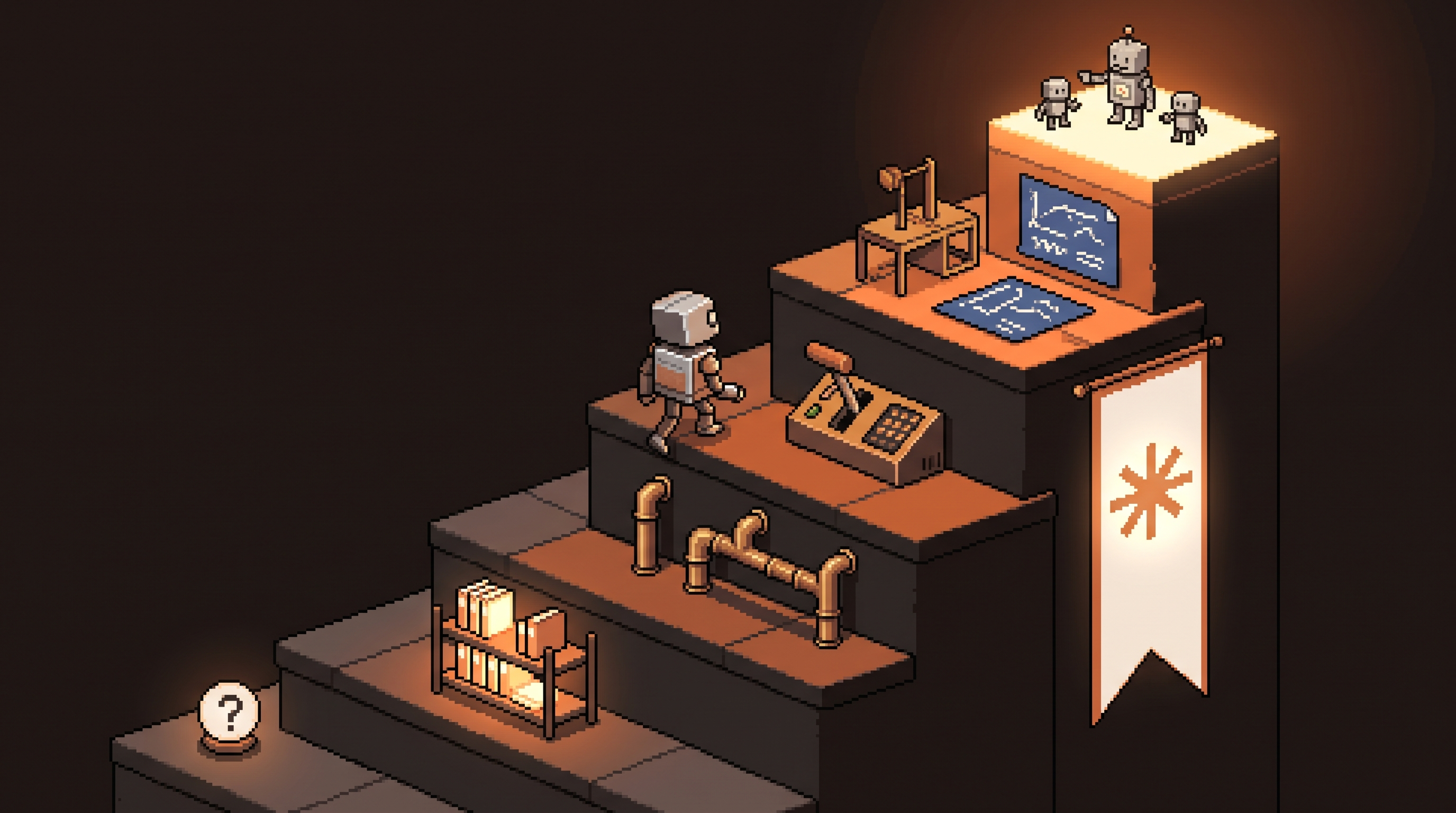
Most people's AI usage peaked in week two. They learned to ask questions, got useful answers, and stopped there — using a system capable of running entire workflows as a slightly better search engine. Nothing wrong with that, except the gap between what they're doing and what the same tool, same subscription, same model could be doing for them keeps widening.
The gap isn't knowledge of features. It's levels. AI capability with a tool like Claude stacks: each level assumes the one below it and unlocks the one above. Skipping levels is why "AI tips" articles never stick — collecting features isn't the same as climbing.
This post lays out the six levels, from asking single questions to orchestrating autonomous systems, with the exact move that takes you from each level to the next. Wherever you are, there's exactly one habit to build next.
AI mastery progresses through six levels: single-turn Q&A, contextual workspaces (Projects with persistent files), tool integration (connecting calendars, Slack, documents), operator habits (system prompts and reusable skills), building custom software with AI coding tools, and finally agent orchestration — designing manager and specialist agents that run workflows autonomously. You climb by building one habit per level for 30 days, not by collecting features: interview prompts first, then your first Project, then one integration, and so on.
The Ladder at a Glance
| Level | You are... | The work | Next move |
|---|---|---|---|
| 1. Amateur | Asking one-off questions | You do everything | Let it interview you |
| 2. Regular | Using Projects | You re-explain less | Build one real Project |
| 3. Integrator | Connecting tools | You copy-paste less | One live data connection |
| 4. Operator | Deploying workflows | You direct, it executes | Turn a 3x/week task into a skill |
| 5. Builder | Making custom tools | You build with it | Plan-before-code discipline |
| 6. Orchestrator | Running agent systems | You review outcomes | Manager + specialists design |
Notice the direction: at every level, the amount of you inside the loop shrinks, and the amount of system you oversee grows.
Level 1: The Amateur
Every conversation starts from zero. You type a question, get an answer that guesses your context, and repeat. The model is doing improv with a stranger.
Two upgrades that cost nothing:
- The interview prompt. Before any non-trivial task: "Before you answer, ask me any questions you need to do this properly." The model will ask about audience, constraints, format — the context it was previously guessing. Answer quality transforms.
- The self-check. When output seems off, don't rewrite your prompt from scratch. Say "Check your work step by step." Models catch a large share of their own errors when explicitly asked to look — the loop closes.
Do only these for 30 days and you graduate.
Level 2: The Regular
You stop re-explaining yourself. A Project (Claude's persistent workspace) holds the files that never change: brand voice guide, past reports, the style doc, the client context. Enter the workspace and the model already knows who "we" are and how "we" sound.
The discipline that separates real Level 2 from dabbling: one Project per domain, curated. Marketing Project with marketing files. Analysis Project with data dictionaries. A junk-drawer Project that mixes everything recreates the context confusion you were escaping.
Your move: build one Project for the work you do most, with three to five genuinely useful files in it.
Level 3: The Integrator
Text in a chat window can only do so much when the real information lives in your calendar, your Slack, your documents. The Integrator connects the model to where work actually happens, so conversations become queries against reality:
- "Look at next week's calendar and tell me which meetings have no agenda"
- "Scan the last week of Slack and summarize where the project actually stands"
- "Pull the numbers from this quarter's spreadsheet and flag anomalies"
Start with one connection that removes a real copy-paste habit — not five integrations installed in an afternoon and never used. One live data source, used daily, changes how you think about the tool.
Level 4: The Operator
This is the doer-to-director transition, and it's built on two artifacts:
System prompts — the operating manual for a repeated task. Not "help me with emails" but the full spec:
SYSTEM: You triage my inbox.
Classify each message ACTION / DECISION / FYI.
Draft replies in my voice: direct, short paragraphs, one
question max. Mark unknown facts [NEEDS: ...], never invent.
Output: classified list + drafts, ready for review.
Skills — anything you do more than three times a week deserves one: the weekly-numbers analysis run the same way every Friday, the proposal structure, the competitor scan. Encoded once, executed forever.
The Operator's test: you should be able to say "run the Friday report" and get the same reliable output without re-explaining anything.
Level 5: The Builder
Text output stops being the product. The Builder uses AI coding capabilities to make tools: the internal dashboard, the calculator script, the small app that solves one niche problem nothing on the market fits.
The habit that defines this level is plan mode — blueprint before construction:
PLAN ONLY. Do not write code yet.
Concept: a dashboard that reads invoices/ and shows
outstanding amounts + days overdue, flagged by color.
1. List the files and structure you would create
2. Describe each component's logic
3. List edge cases and how you'd handle them
Wait for my approval before writing any code.
Reviewing a plan costs minutes; reviewing wrong code costs evenings. Builders who skip this build the wrong thing faster.
Level 6: The Orchestrator
The top level isn't more prompting — it's architecture. You design a system of agents:
manager agent (receives goal, splits work, reviews output)
  ├── researcher agent (gathers + cites)
  ├── drafter agent (writes in your voice)
  └── auditor agent (checks claims against sources)
Each specialist gets a narrow identity and one job; the manager coordinates. You move from in the loop to on the loop — reviewing outcomes, adjusting rules, escalating exceptions — while execution runs without you.
Two honesty notes from experience: Level 6 assumes Levels 1–5 are real (a sloppy operator makes a sloppy orchestrator), and autonomy should still climb the trust ladder — drafts first, supervised actions, then scheduled runs. The orchestration pattern is the destination; the guardrails are permanent.
How to Actually Climb
The failure mode is feature tourism — trying every tip once, building no habits. The rule that works:
- Locate your current level (the highest one you use weekly, not the one you've touched)
- Adopt its single next move — one habit, not five
- Run it for 30 days until it's automatic
- Then climb
A Level 1 user who interviews the model every session passes a dabbler who has "used" Projects, integrations, and agent frameworks within a month. Depth compounds; sampling doesn't.
Frequently Asked Questions
What's the difference between a system prompt and a master prompt?
A master prompt is your ingredients — everything about who you are, your goals, your context. A system prompt is a recipe — the specific instructions that turn those ingredients into one repeatable result. Master prompts inform; system prompts execute.
What does "in the loop" vs "on the loop" mean?
In the loop: you participate in each step — prompting, correcting, moving data by hand. On the loop: the system runs automatically under your oversight; you review results and handle exceptions. The mastery ladder is essentially the journey from one to the other.
Do I have to reach Level 6 for AI to pay off?
No — most professionals capture the majority of practical value at Levels 2–4: persistent context, one or two integrations, and system prompts for recurring work. Climb further only when a real workload demands it; the ladder serves your work, not the reverse.
Can I skip levels?
Not usefully. Each level's habits are assumed by the next — orchestration built on weak prompting produces confident chaos. Move fast through levels you genuinely know, but verify each layer holds before stacking the next.
Wrap-Up
The difference between an AI user and an AI operator is six habits deep, not six subscriptions wide. Interview prompts, then Projects, then one live integration, then skills for everything you repeat, then plan-first building, then — only then — the agent system that runs while you're on the loop. Find your level, adopt its one move, give it thirty days. The ladder climbs one rung at a time.
Related posts

The Number Was Right, the Conclusion Was Wrong: Spotting Mix Shifts
An aggregate can fall while every segment behaves identically — composition changes impersonate behavior changes. Segment before you summarize, and bake the check into every automated report.

Stuck Between Two Options? Break Decision Paralysis Before the Deadline
A tied pro/con list means the list is out of answers. Break the binary, audit which beliefs you can verify before Friday, pre-live both futures — then hunt the one missing fact.

Map It First: Design Workflows Before You Automate Them
Automating an unmapped process just repeats the mess faster. Document reality, name an owner for every output, bound automation by risk — then hand the runbook to people or AI agents.