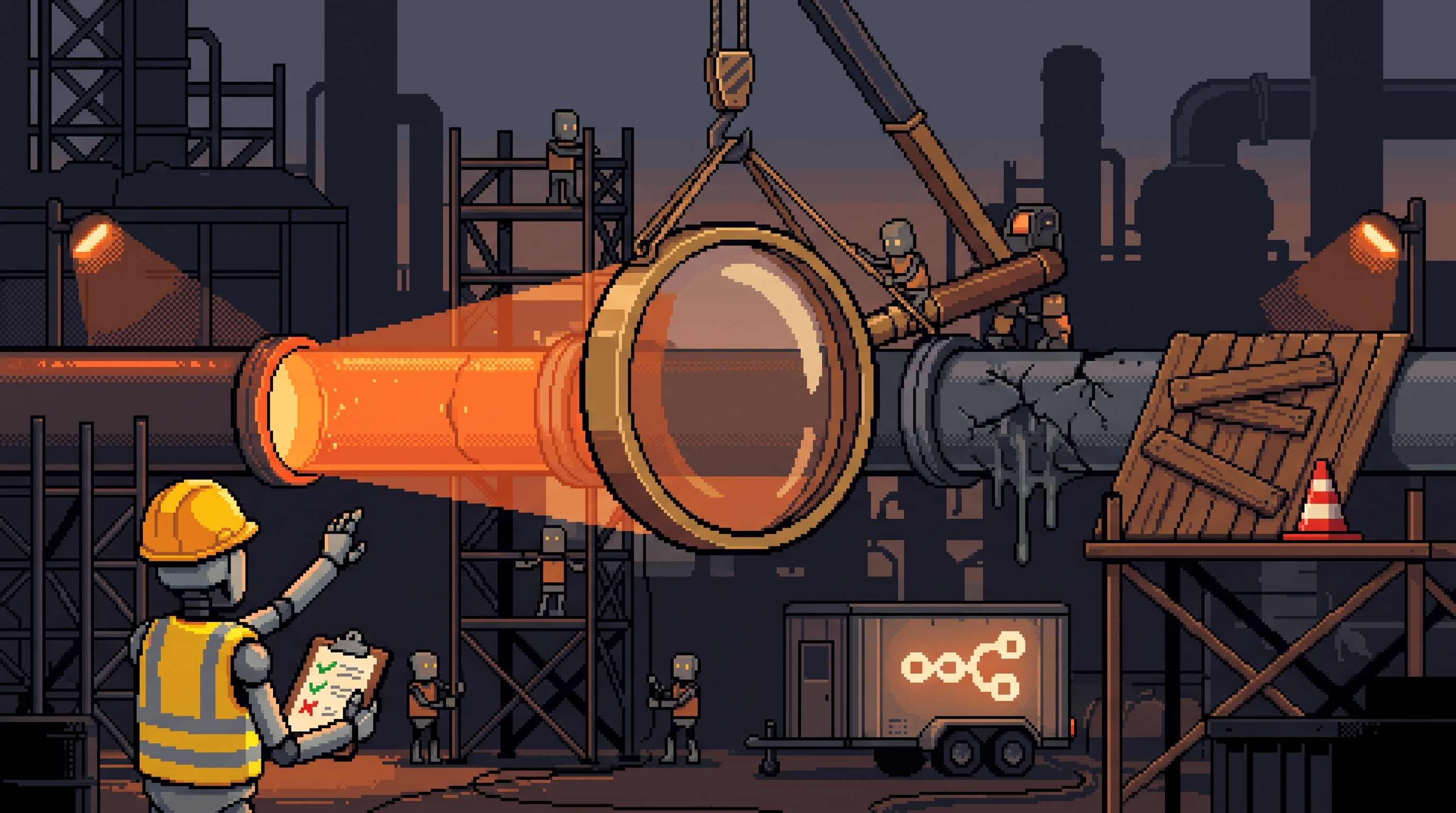
The scene repeats in every industry right now: leadership reads an AI headline on Monday, mandates adoption by Friday, and six months later there's a chatbot customers hate, three automation projects half-built, a team quietly routing around the tools, and a bill nobody can map to any outcome. The technology wasn't the problem. The integration was.
AI in a business is a magnifier. Pointed at a process that works, it multiplies output. Pointed at a process that's broken, it multiplies the breakage — faster, at larger scale, with better formatting. Most AI failures are not model failures; they're adoption failures with predictable shapes.
Here are those shapes — twelve pitfalls, each with its antidote, and then the staged rollout that avoids most of them by construction. This complements the earlier pieces on choosing what to automate (the constraint audit, the Rule of R); this one is about how the integration itself goes wrong.
The main risk in adopting AI is treating it as a replacement for processes rather than an enhancement of them. Avoid the common pitfalls by: validating processes manually before automating (automation scales what already works — including the flaws), keeping humans in the loop for judgment and nuanced customer contact, learning the basics of how models behave (hallucination, context, prompting) before relying on outputs, building a small intentional tool stack instead of chasing every release, and keeping final decisions with people. AI amplifies what exists; it doesn't fix it.
The Twelve Traps
| # | Pitfall | What happens | Antidote |
|---|---|---|---|
| 1 | Replacing people with agents | Robot can't read the room; trust erodes | Offload admin, keep humans on relationships |
| 2 | Automating a broken process | Mess happens faster and bigger | Prove it manually first |
| 3 | Removing humans from customer contact | You lose the qualitative signal | AI takes FAQs, humans take nuance |
| 4 | Ignoring the fundamentals | Hallucinations surprise you | Learn the basics before trusting outputs |
| 5 | Chasing every new tool | Shiny-object churn, nothing mastered | Bottleneck first, tool last |
| 6 | AI makes final decisions | Confident nonsense gets authority | AI informs, humans decide |
| 7 | Outsourcing the creative spark | Everything trends to average | Human spark first, AI expands it |
| 8 | Overloading the prompt | Mushy, diluted output | One job per interaction |
| 9 | AI locked in the IT department | 90% of the leverage untapped | Every team gets workflow support |
| 10 | Relying on one platform | Fragile, vendor-priced | Small stack, best-in-class per job |
| 11 | Copying generic prompts | Generic results | Learn principles, add your context |
| 12 | Assuming AI is the advantage | Same tools as everyone | The application is the moat |
Each row is a decision you'll actually face. The five that sink the most projects deserve expansion.
The Five That Sink Projects
1. Automating a broken process
The magnifier rule: technology amplifies whatever it touches. A disordered workflow that frustrates ten customers a week becomes, post-automation, a disordered workflow that frustrates a thousand. The discipline is unforgiving and simple: run the process manually until it's boring. When the same input reliably produces the same good output by hand, then automate it — you'll be scaling success instead of scaling chaos.
2. Removing humans from the room
Agents handle volume brilliantly and context terribly. They can't read a customer's frustration, sense a deal going cold, or notice that the complaint pattern is actually a product roadmap signal. The split that works: AI absorbs the repetitive — FAQs, triage, after-hours first response — while every nuanced or high-stakes conversation routes to a person. Those conversations aren't a cost center; they're your qualitative data pipeline.
3. AI with decision authority
Models produce confident output — including confident nonsense. The moment you give that confidence authority over money, clients, or strategy, one hallucination becomes a real-world action. The line that holds: AI drafts, researches, and recommends; humans approve anything that touches the outside world. This is the same trust-ladder logic from agent building, applied at company scale — drafts first, supervised actions later, and some decisions never delegated at all.
4. Tool churn
New model drops, someone posts a benchmark, and the team rebuilds everything on the new platform — again. Each migration costs weeks and teaches nothing. The filter that prevents it: a tool must solve a named bottleneck before it enters the stack, and mastery of the current tool must be exhausted first. Most weeks, the honest answer to "should we switch?" is "we haven't finished using what we have."
5. Generic prompts, generic results
Copied prompts encode someone else's goals, voice, and constraints. The output is technically fine and strategically nobody's. The fix isn't secret prompt magic — it's the fundamentals: clear context (who this is for), specific goal (what "good" means), and your constraints (what must be true). A mediocre technique applied to your specifics beats a sophisticated template applied to none of them.
The Fundamentals You Actually Need
Nobody on your team needs a machine-learning degree. Everyone who touches AI outputs needs four concepts:
- Hallucination — models generate plausible-sounding errors; confidence is not evidence, so verify anything that matters
- Context — output quality tracks input quality; garbage briefing, garbage result
- Instruction specificity — vague asks average toward generic; constraints sharpen
- Variance — same prompt, different runs; test before trusting (the prompt-testing habit)
A one-hour team session on those four concepts prevents most of pitfall 4 and half of pitfall 11.
The Staged Rollout (Pitfall-Proof by Construction)
The rollout order itself eliminates most traps:
stage_0: map + manual validation
  - current process documented, run manually until boring
stage_1: assist (draft only)
  - AI drafts, humans review everything — learn where it's
    reliable, where it hallucinates, per your real data
stage_2: augment (human-in-the-loop actions)
  - AI prepares actions; a human clicks send
stage_3: automate (supervised schedules)
  - stable workflows run on a heartbeat with guardrails,
    logging, and defined escalation
stage_4: expand across teams
  - now sales, ops, and finance get their workflows —
    with the lessons stage 1-3 paid for
never: unsupervised authority over money, clients,
  or irreversible actions
Every stage gates the next, and the gate is evidence — five clean runs, two quiet weeks — not enthusiasm. Teams that respect the gates ship boring, reliable automation. Teams that skip them ship demo videos.
The Realization That Reframes Everything
Pitfall 12 is the quiet one that changes strategy: using AI isn't an advantage anymore. Everyone has the same models, the same tools, the same API access. The differentiation moved to what you build on top: your workflow knowledge, your customer context, your data, your judgment about where the leverage is. A competitor with the same tools and better process understanding wins, every time.
That's also the good news — it means the work you put into understanding your business was never wasted by the technology arriving. It's the moat the technology created.
Frequently Asked Questions
Should we use AI for customer service?
For the repetitive layer, yes — FAQs, initial triage, after-hours first response. Route anything nuanced, emotional, or high-stakes to people. Customer conversations are also your best qualitative data; fully removing humans deletes that signal to save wages you'll pay back in roadmap mistakes.
How much does my team need to learn before using AI professionally?
Four concepts, one hour: hallucination (verify what matters), context (outputs track inputs), instruction specificity (constraints sharpen results), and variance (test before trusting). Everything else is learn-as-you-go on real work.
How do we stop tool churn from eating our roadmap?
A tool enters the stack only against a named bottleneck, and only after the current tool's capability is genuinely exhausted. Put a "why we're switching" paragraph in the decision doc — if it cites a benchmark but not a bottleneck, it's churn wearing a strategy costume.
Isn't AI the competitive advantage now?
No — access is universal. The advantage is application: your process knowledge, your data, your integration quality. AI amplifies what's already there, which is exactly why the boring work of knowing your business became more valuable, not less.
Wrap-Up
The failed integrations all rhyme: automation pointed at broken processes, agents given authority they can't carry, teams skipping fundamentals to chase the launch-day feeling. Run the checklist, respect the magnifier rule, keep humans where judgment lives, stage the rollout behind evidence gates — and remember that the moat was never the model. It's what you know, applied faster.
Related posts
The Number Was Right, the Conclusion Was Wrong: Spotting Mix Shifts
An aggregate can fall while every segment behaves identically — composition changes impersonate behavior changes. Segment before you summarize, and bake the check into every automated report.
Stuck Between Two Options? Break Decision Paralysis Before the Deadline
A tied pro/con list means the list is out of answers. Break the binary, audit which beliefs you can verify before Friday, pre-live both futures — then hunt the one missing fact.

Map It First: Design Workflows Before You Automate Them
Automating an unmapped process just repeats the mess faster. Document reality, name an owner for every output, bound automation by risk — then hand the runbook to people or AI agents.