You chose an AI assistant the way most people do: you picked the one whose answers you liked and built your daily workflow around it. Months later, you discover the assistant's answers were never the bottleneck — the environment was. Every recurring job means switching between your chat window, a browser tab, a scheduling tool, and whatever app the task lives in.
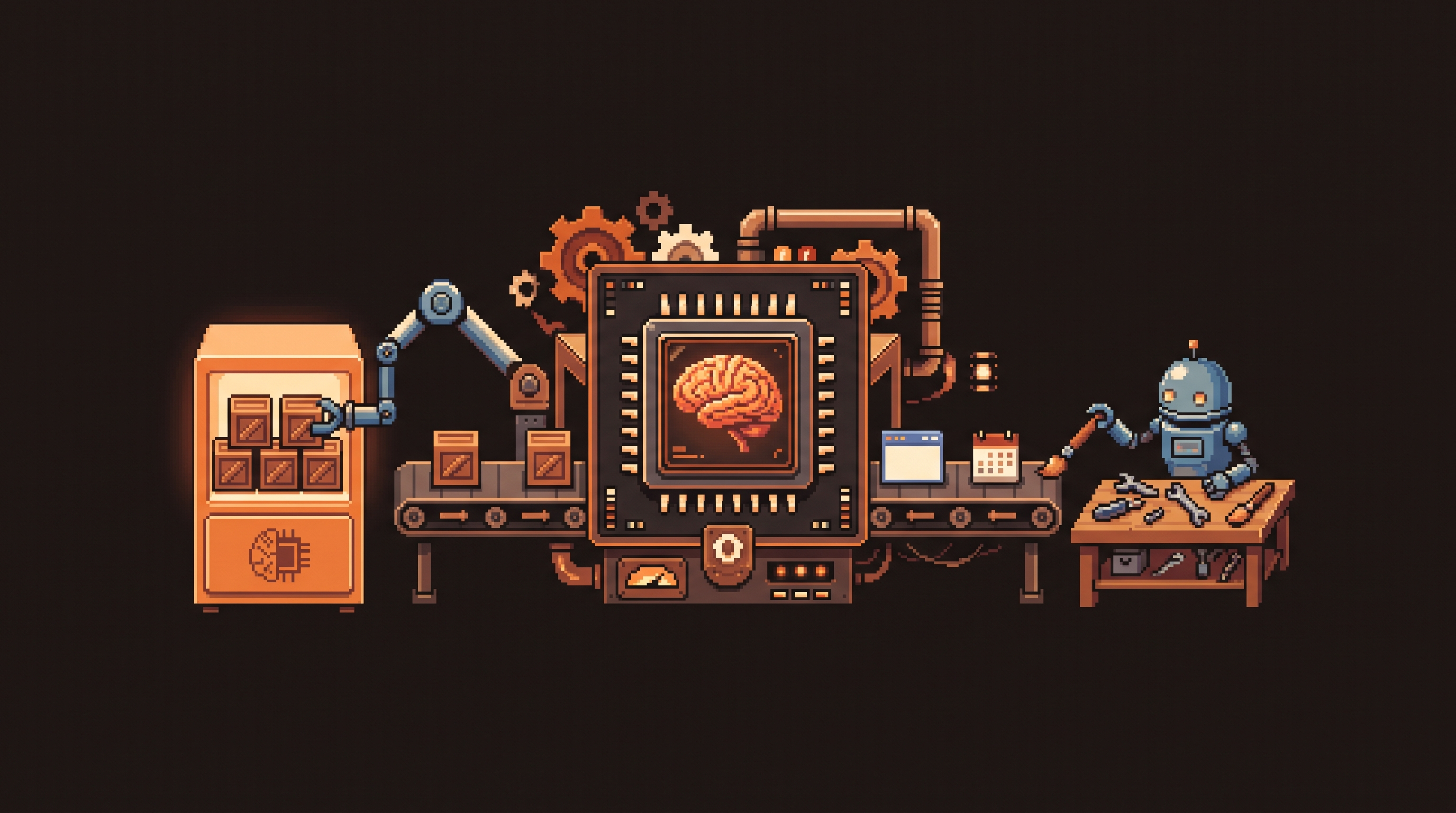
That fragmentation is why a growing number of users are migrating workflows from Claude to ChatGPT's Codex. Not because one model "smarter" than the other — because Codex puts browsing, computer control, and scheduling in one unified workspace. Here's what actually changes when you make the move, and when you should keep Claude as an exception tool instead.
Migrating workflows from Claude to ChatGPT Codex usually comes down to environment, not model quality. Codex combines an in-app browser, reliable Computer Use (controlling desktop apps by clicking and typing), unified task scheduling in one sidebar, in-thread image generation, and a visual Git safety net — so recurring jobs stop requiring three separate tools. Claude stays the better exception tool for high-sensitivity tasks where strict safety filters cause other models to refuse, such as specific platform behaviors. Transition by importing projects, mapping your skills folders, reconfiguring schedules, and running both tools side by side for one to two weeks.
Why people migrate: the environment, not the model
Most users start with one platform — Anthropic's Claude — and discover that another ecosystem, OpenAI's Codex, offers specific technical advantages for automating tasks across multiple applications and websites. The pattern is consistent: the reasoning is comparable; the friction is not.
The four things that drive the move:
- Unified workspace — browsing, files, and recurring tasks managed in one place, cutting mental fatigue.
- Reliable Computer Use — in practical use, Codex completes desktop tasks with fewer delays and refusals.
- Native workflow steps — image generation and Git versioning built into the flow instead of bolted on.
- Use-case specificity — Claude remains preferred where strict safety filters matter.
The in-app browser: killing context switching
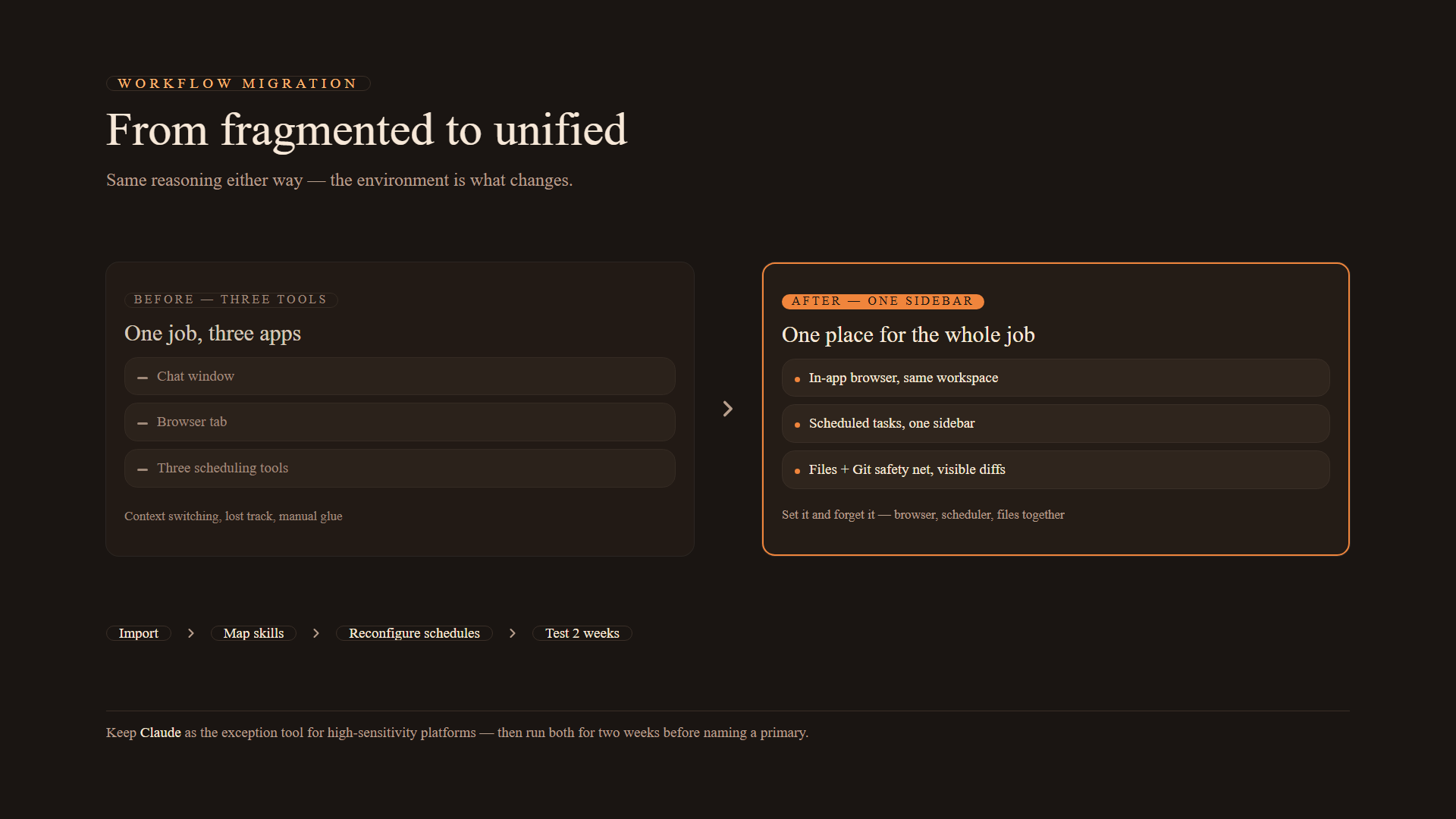
In many setups you toggle between your AI chat and a separate Chrome or Safari window. That switching is draining for you and worse for the AI's continuity. Codex provides an in-app browser: ask it to research competitor pricing and it opens pages inside its own workspace, extracts what it needs, and keeps working — no copy-paste round trips.
Why it matters: the AI can "see" and interact with web pages directly, which simplifies anything involving automatic logins or navigating several sub-pages. Context stays in one place, so the tool stays focused on your project instead of jumping between apps.
Computer Use: reliability is the differentiator
Computer Use lets an AI agent control your operating system — moving the mouse, clicking buttons, typing keys — to complete tasks inside other applications. Both Claude and Codex offer some form of this capability. They differ in smoothness:
- Success rate — in practical tests, some users find Codex completes tasks with fewer delays or "excuses" (refusals to perform a step).
- Stability — a more stable execution path makes the feature viable for professional, scripted workflows instead of occasional demos.
That reliability gap is what turns Computer Use from a party trick into something you'd schedule daily.
Unified scheduling: one sidebar instead of three tools
If you run several recurring jobs — check a site every morning, move data between sheets — managing them across three tools creates fragmentation: you lose track of what ran and what didn't. Codex lists every automated job in one sidebar.
The worked example from the migration playbook: a daily task where the AI must log into a website with no official API, analyze new entries against criteria, then send a summary to your Slack channel. In a unified setup, that's one "set it and forget it" task — browser and scheduler in the same place, no jumping between tools, less mental energy, fewer human errors.
Built-in image generation
Claude interprets images you send it, but doesn't generate them natively in the chat flow the way Codex does. With integrated models, you can create an image, request one small adjustment — a color change, a size tweak — and save the final version without leaving your primary workspace. For anyone building ads, social posts, or website mockups, that removes an entire file-moving ritual.
Git as a safety net for non-programmers
"Git" sounds intimidating. In this context it's a Save button: a visual interface that shows what changed and lets you "commit" your progress.
For non-technical users this delivers two things:
- Version control — a history of different ideas for the same project.
- Safety — if the AI accidentally breaks a file, you revert to a previous version instantly instead of rebuilding.
When an AI writes or modifies files, a friendly undo button isn't a nicety — it's the difference between experimenting and gambling.
When to stick with Claude
The migration advice isn't one-directional. Claude remains the preferred tool for high-sensitivity tasks. Some AI models stop working or refuse tasks when internal safety guidelines flag a platform behavior — LinkedIn is the classic example. In those specific cases, Claude's behavior is often more consistent and less likely to refuse based on those filters.
That makes Claude a natural "exception tool": keep it for the handful of tasks where its behavior wins, while Codex handles the daily grind.
The four-step transition
Moving your setup doesn't mean starting from scratch:
- Use the import tool — most modern systems bring over your existing projects and recent chat history.
- Map your skills — "skills" are sets of rules (writing style, task instructions). In Codex they live in specialized folders like
.agents/skills, which mirrors.claude/skillson the Claude side. Both holdSKILL.mdfiles — copy the ones you actually use. - Reconfigure schedules — recurring tasks from the old system need to be re-entered in the new Scheduled area.
- Test before switching fully — keep both tools active for about two weeks. See which handles your daily tasks better before naming a primary.
# your skills travel with you — same idea, different folder
cp -r ~/.claude/skills/meeting-summary ~/.agents/skills/meeting-summary
ls ~/.agents/skills/meeting-summary/SKILL.md   # rules + style for that task
FAQ
- Does importing delete the old stuff? No — the import process copies your projects and history rather than deleting them. Both accounts can stay active while you transition.
- What is Computer Use? A feature that lets the AI interact with your operating system — moving the mouse, clicking buttons — to perform tasks inside applications that don't have API connections.
- Why do I need Git if I'm not a programmer? As a safety net: it saves and versions iterations of your work so you can revert instantly when the AI changes something unexpectedly.
- Should I cancel the old subscription immediately? No — wait one to two weeks and test your most frequent tasks in both environments first.
The choice between Claude and Codex isn't about which company has "better" AI — it's about which environment suits your daily habits. If you value a consolidated workspace where browsing, scheduling, and system interaction happen in one interface to reduce mental friction, Codex offers real advantages. If you need nuance on specific platforms, keeping Claude as an exception tool is the sensible way to get the best of both worlds.