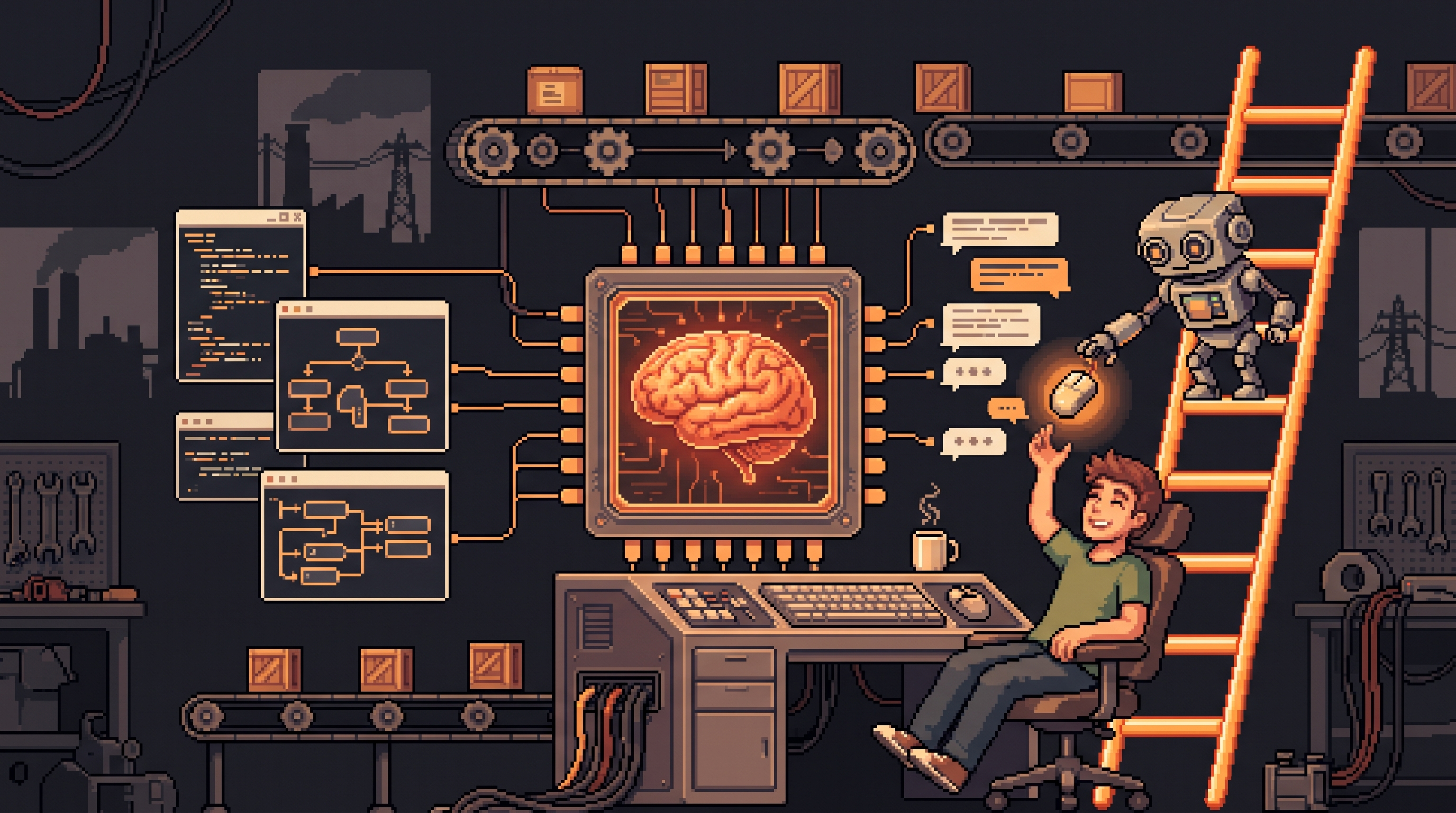
Choosing Between Claude and Codex for Automation Workflows
Two AI assistants, similar price, completely different ideas about how much you should be in the room. Ask Claude and Codex the same question and both will answer. Ask them to run your workflow — browse a website, click through a desktop app, email the results at 9 AM — and the real difference appears: how much supervision each one expects from you. This isn't a benchmark question. It's a trust question, and the answer depends on how hands-on you want to be.
Quick Answer
Choose Codex when you want one workspace that handles web browsing, computer interaction, and scheduled tasks, with the lowest supervision overhead — it bundles browser, files, and recurring jobs into a single sidebar. Choose Claude when you need steady behavior on strict, login-protected platforms, or when you want a fallback for niche tasks where Codex's agents hesitate. Most people run both: Codex as the primary, Claude as the exception tool.
Key Takeaways
- It's a supervision decision, not an intelligence contest. Both platforms reason well; they differ in how much oversight each workflow requires.
- Codex bundles the three automation pillars — in-app browser, Computer Use, and unified scheduling — in one workspace.
- Deterministic tasks don't need an AI at all. If a site has an API, a plain script or n8n wins. Agents matter when there's no API and judgment is required.
- Git is your undo button. Whatever agent you run, version control turns "the AI changed something" from a risk into a review step.
The Real Question: How Much Do You Want to Supervise?
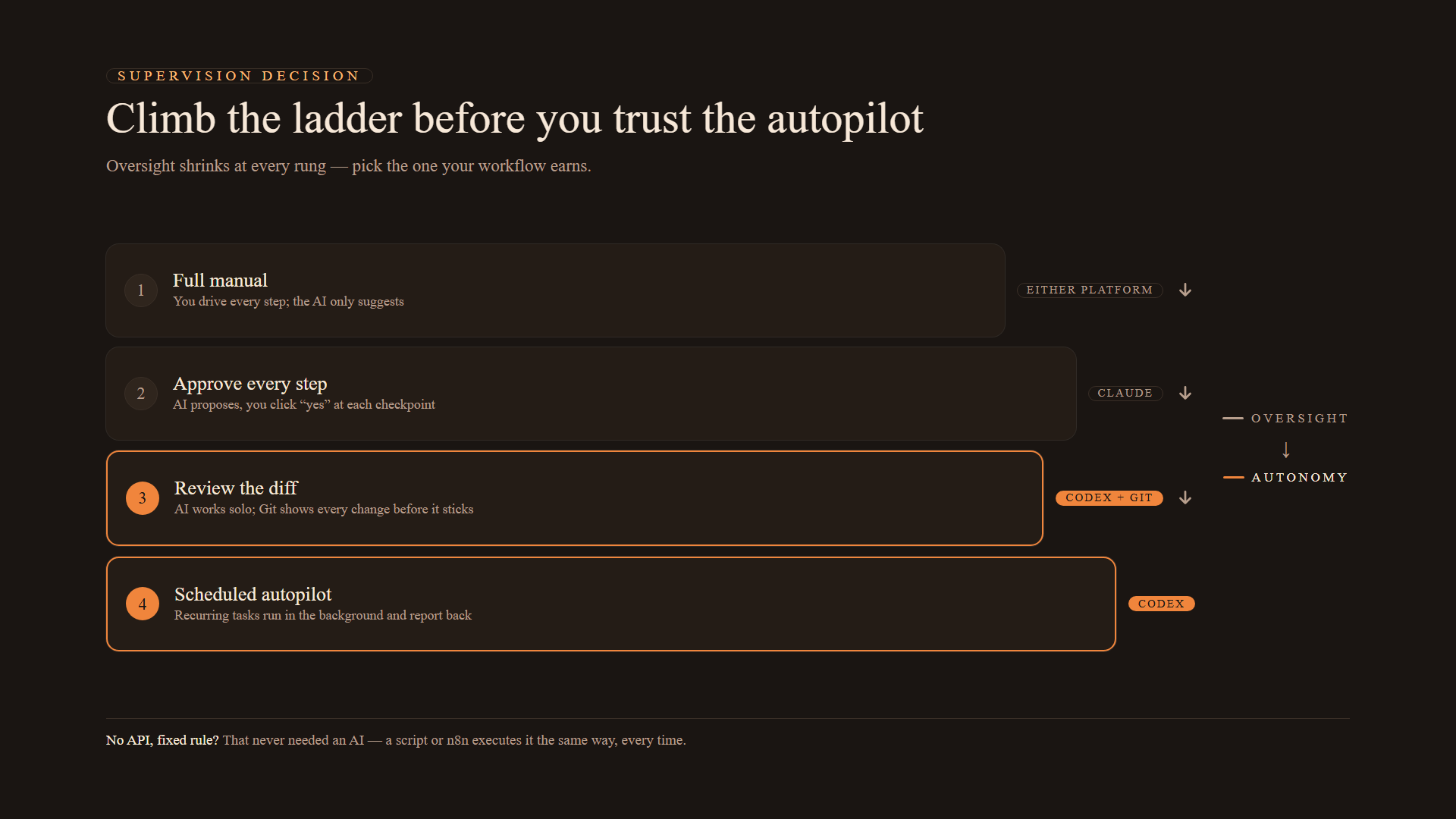
Every automation sits on a supervision spectrum. Where you fall on it decides which tool fits:
| Supervision style | What it looks like | Best tool |
|---|---|---|
| Full manual | You drive every step, AI suggests | Either platform |
| Approve every step | AI proposes, you click "yes" | Claude with careful prompts |
| Review the diff | AI works, you review the changes before they stick | Codex with Git integration |
| Autopilot with checkpoints | Scheduled tasks run solo, you check results | Codex scheduled tasks |
Codex is built for the bottom half of that table: background jobs that run on a timer and report back. Claude is built for the top half: interactive, high-judgment sessions where you stay in the loop. Neither is "better" — they're optimized for different rungs of the ladder.
The In-App Browser: Keeping Your Hands in Your Pockets
An in-app browser is exactly what it sounds like: the AI gets its own browser window inside the workspace. Instead of you copy-pasting URLs into a chat, the AI navigates on its own — opening pages, reading them, clicking through — and brings the results back into the same conversation.
Why that matters is more about your energy than the AI's ability. "Context switching" is the mental tax you pay every time you move between a chat window, a browser tab, and a spreadsheet. A three-site research task looks like this on Codex:
- You state the goal ("compare competitor pricing").
- The AI opens its internal browser and visits all three sites.
- Findings land in your workspace, already summarized.
On a fragmented setup, you're the messenger between tools. The in-app browser makes the AI the courier instead.
Computer Use: The AI Borrows Your Mouse
Computer Use takes this one step further: the AI operates your operating system — moving the mouse, clicking buttons, typing into fields — inside approved desktop applications. Think of it as lending the AI your hands for the parts of a job that can't be scripted.
Both platforms offer some version of this, but the experience differs in practice:
- Codex: generally smoother when interacting with installed applications. Designed to perform actions across software quickly, with fewer pauses.
- Claude: capable, but it can hit more friction — the occasional "excuse" where the model hesitates mid-task on complex multi-step local operations.
If your automation involves moving files between apps, filling forms in desktop tools, or managing system controls, that reliability gap is the difference between "set and forget" and "watch and nudge."
Unified Scheduling: One Sidebar, No Fragmentation
The classic automation failure isn't technical — it's fragmentation. Your long-running jobs live in one tool, your browser automation in another, your code in a third. Nothing talks to each other, and you lose track of what actually ran.
Codex solves this with unified scheduling: every recurring job visible in one sidebar, and those jobs can use the in-app browser and Computer Use directly. That combination unlocks the workflows that matter most — sites without an API.
# A typical "no API" scheduled task, conceptually
task: morning-vendor-report
schedule: every weekday 09:00
steps:
  - action: browser.login
    site: vendor-portal.example
  - action: database.filter
    criteria: "status = pending AND amount > 1000"
  - action: notify.slack
    channel: "#ops"
    message: "Daily summary attached"
An API (Application Programming Interface) is how two programs talk directly — when a site has one, automation is deterministic: it happens exactly the same way every time. Most websites don't offer one. So the AI has to do what a human does: look at the page, click the buttons, stay logged in. That's why bundling browser + scheduler + computer use in one dashboard matters — the session state survives, and the job actually completes.
APIs Are the Deterministic Dividing Line
Here's the decision shortcut that saves you the most money: before you pick a tool, check whether the task has an API.
If it does, you don't need an agent at all:
# With an API: deterministic, cheap, exact
curl -s "https://api.example.com/reports?date=today" \
  -H "Authorization: Bearer $TOKEN" \
  | jq '.items[] | {id, status}'
If it doesn't — no API, login wall, human-only interface — you need an agent that can see and click. That's the Codex/Claude territory.
And if the task is fully rule-based with no judgment needed, even an agent is overkill: a deterministic tool like n8n executes the same way every single time, never "improves" your file while moving it, and costs a fraction. Judgment belongs to agents; repetition belongs to scripts.
Image Generation and the Git Undo Button
Two supporting features shape daily use more than people expect.
Image generation. If your workflow produces marketing assets, mockups, or social graphics, check where the generation happens. Codex creates and iterates images inside the chat flow — "make the logo slightly larger," "change the background to blue" — without leaving the conversation. Claude interprets images superbly but its creation pipeline sits apart from the chat. For volume creative work, that seam adds friction.
Git as a safety net. For non-programmers, Git is just an undo button with a history log. Every change to your files is tracked; if the AI does something unexpected, you see exactly what changed and revert before it becomes permanent.
git diff             # review what the AI changed
git checkout -- .    # undo it all if the change is wrong
git commit -m "accepted agent change"   # lock in the good version
Codex wraps this in a visual interface — buttons instead of commands — which is precisely what you want when an agent edits your files. It converts "the AI touched my work" from a fear into a routine review.
When to Keep Claude
The case for Claude isn't nostalgia — it's specific environments. Some login-protected portals — professional recruitment boards, internal corporate databases — run strict security filters that trip up autonomous agents. Codex's automation is generally superior, but Claude's steadier, more conservative behavior can succeed where a fully autonomous agent refuses or gets flagged.
The practical formula: Codex for the primary daily workflow, Claude as the fallback for niche, high-security logins that need a gentler approach to web navigation. Keep both accounts for two weeks and let your real tasks vote.
The Supervision Ladder
If you're migrating a workflow, climb the ladder one rung at a time:
- Shadow it. Run the task manually once, watching what the AI would do.
- Approve every step. Let it work with checkpoints — you confirm each action.
- Review the diff. Let it run autonomously, then inspect Git's change history before accepting.
- Schedule it. Only now promote it to a recurring background task.
Most automation failures aren't the AI's fault — they're skipped rungs. The tools that feel scariest (full autonomy) are the safest when you've earned them through the ladder.
Frequently Asked Questions
What's the difference between an in-app browser and standard browsing?
An in-app browser lets the AI open and navigate web pages inside its own workspace, without you copy-pasting URLs into a chat. It can travel from page to page independently to gather information or perform actions, which keeps the session and context in one place.
What is "Computer Use" in an AI context?
Computer Use is the ability of an AI agent to control your computer's interface — moving the mouse, clicking buttons, typing text — to complete tasks across your desktop applications. It matters when a task can't be scripted and needs human-like interaction with software.
Is it risky to let an AI use my computer?
It's a manageable risk if you set boundaries. These tools operate within approved environments, and version control (Git) is the key safeguard: every change the AI makes can be reviewed or reversed before it becomes permanent. Start with supervised tasks and work up the ladder before granting autonomy.
What is an API and why does it matter for automation?
An API lets two pieces of software share data automatically without human intervention. If a website has an API, automation is deterministic — exactly the same result every time — and you can use simple scripts. If it doesn't, you need an AI agent with browser and computer access to do the work the way a human would.
Final Thoughts
The Claude-vs-Codex choice stops being stressful the moment you stop comparing intelligence and start comparing supervision. Codex's unified workspace — browser, computer use, scheduling, Git — is built for hands-off operation, and it wins for high-volume automation. Claude wins the exceptions: strict platforms, nuanced work, environments that need a gentler touch. And the cheapest automation of all is the one that never needed an AI in the first place — anything with an API or a fixed rule belongs to a script. Pick the tool by the rung you're willing to stand on, not by the hype.