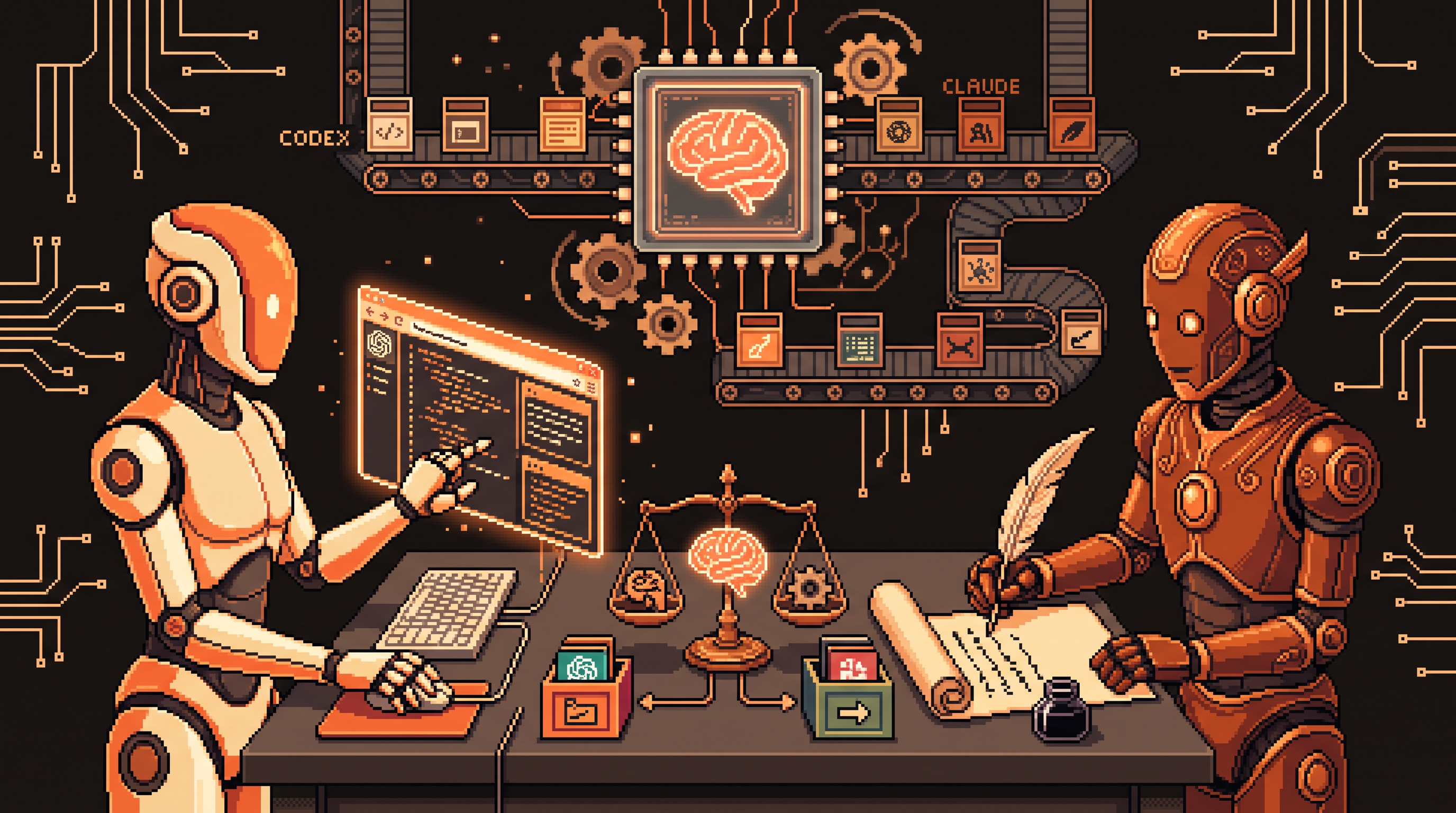
Choosing an AI assistant used to mean comparing reasoning quality. That's table stakes now — both sides of this matchup reason brilliantly. The real question is how much doing you want the AI to do: browsing the live web, clicking through your desktop apps, and running background tasks while you sleep.
That's where ChatGPT's Codex and Claude genuinely differ. This guide compares the two across the categories that decide whether an assistant fits your workflow — integration, automation, version control, and media generation — and when you should keep both in your toolkit.
ChatGPT Codex and Claude differ mainly in integration and automation. Codex offers a unified workspace: an in-app browser so the AI researches without context-switching, Computer Use to click and type inside desktop applications, centralized scheduled tasks, in-thread image generation and editing, and a friendly built-in Git safety net for non-technical users. Claude stays the stronger choice for high-complexity creative reasoning and for locked-down environments — HR databases or regulated platforms — that block automated computer control. Keep both when you need a hands-on automation hub and specialized depth.
The primary difference: integration
Both systems deliver advanced reasoning. The split is in how they handle action-oriented work:
- Codex aims to be a hub: one environment where the AI browses, searches, edits files, and runs automations without you switching tabs.
- Claude leans on technical flexibility: fewer unified automation surfaces, but deep strength in complex creative and reasoning tasks.
Most "which should I pick" answers fall out of that one distinction.
In-app browser: context stays in one place
An in-app browser is a window inside the software that lets the AI navigate websites directly — no copy-pasting links, no tab-switching. The payoff is context. If you're researching competitor pricing, the AI can open several pages, extract the numbers, and process them in the same workspace where the project lives. A separate browser extension forces the AI out of its context; the integrated browser keeps it focused on your project instead of jumping between apps.
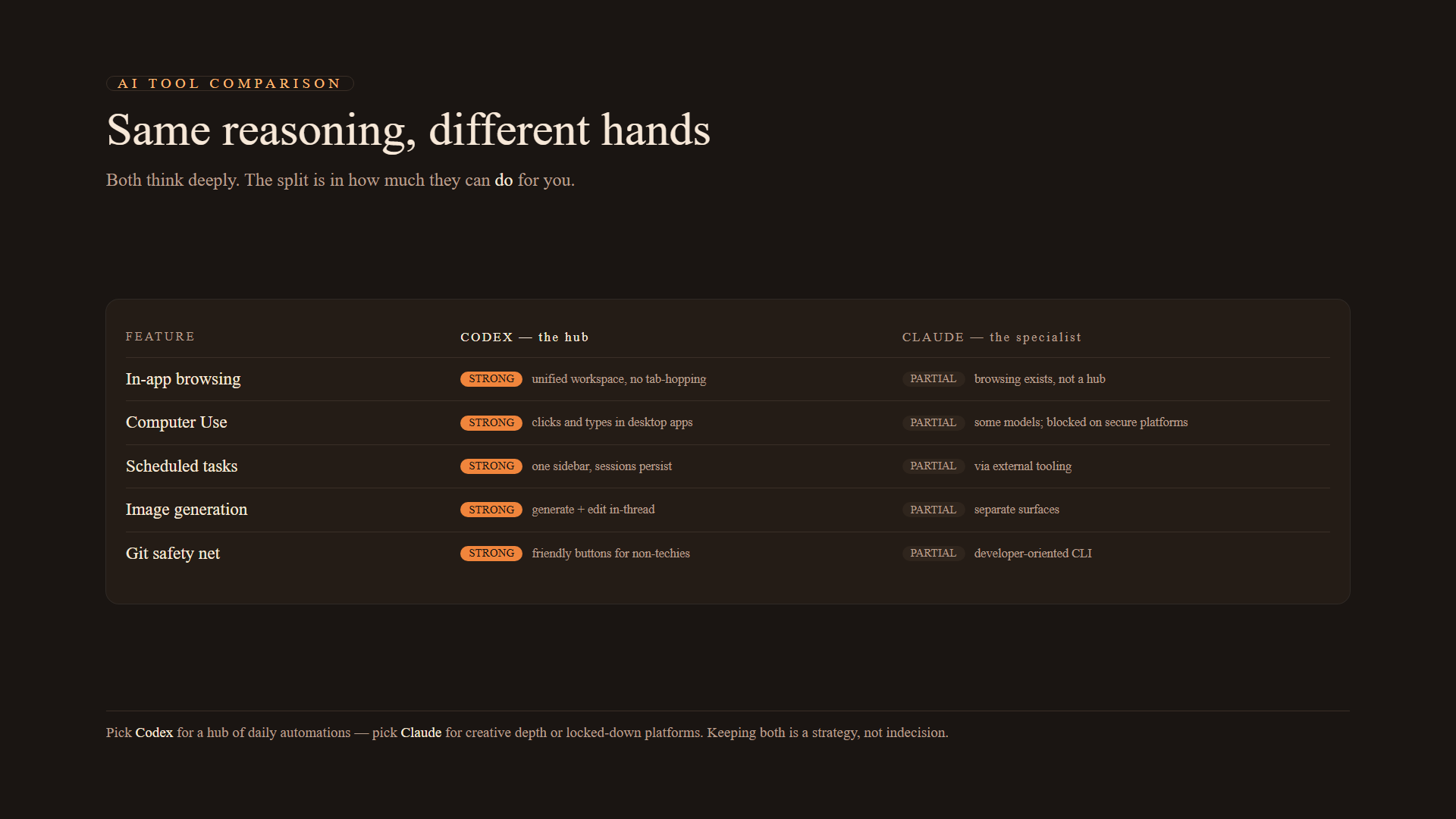
Codex: strong — unified browsing, search, and file interaction in one environment. Claude: partial — browsing exists, but not as a single-workspace hub experience.
Computer Use: the AI gets hands
Computer Use lets the AI interact with approved applications on your desktop — clicking buttons, typing into forms, moving files — instead of only returning text or code. Some models offer similar capabilities; this implementation is generally considered more robust for daily tasks because it handles interruptions and errors with fewer prompts.
Where it earns its keep:
- Logging into websites that don't expose an API.
- Automating manual form-filling sequences.
- Repetitive data entry across different desktop tools.
Codex: strong — direct desktop application control. Claude: partial — available in some models, but high-security platforms (HR databases, regulated systems) may block automated computer control entirely. That's a feature if you want the block.
Scheduled tasks: automation while you sleep
A scheduled task is an automation that fires at a set time — "Every Monday at 9
AM, summarize my emails." In multi-tool setups you might juggle different prompts or platforms per goal. In a unified setup the schedules live in a single sidebar, which matters more than it sounds: for sites that require constant login sessions, the AI can hold your session state and run background tasks without you re-prompting it each time.Codex: strong — centralized scheduling with persistent sessions. Claude: partial — scheduling exists through external tooling rather than one sidebar.
Image generation and editing in the same thread
For marketing materials, social posts, or site mockups, generating images inside the primary chat saves a whole file-moving ritual. When the AI can generate and edit in the same thread, you request one change at a time — tweak a color, nudge a button's size — and save immediately, instead of exporting a high-res file to another tool for every adjustment.
Codex: strong — generation and editing inline. Claude: partial — strong generation through separate surfaces rather than one continuous thread.
Version control as a safety net for non-techies
If the AI writes code or modifies files, you need an undo button. Git is that button: a log of every version of your work, letting you revert when the AI gets confused by a large change. The difference is the interface. Friendly systems turn "commit" and "push" into buttons instead of command-line incantations — you see exactly what changed before accepting it.
Codex: strong — built-in Git with a friendly interface, a genuine safety net for non-developers. Claude: partial — version control available, but the developer-oriented interface assumes more comfort with the command line.
Speed vs. resource management
"Fast Mode" increases response speed at the cost of tokens — the amount of data the AI processes — so it burns your account's usage limits faster. Treat it like a boost button: use it for urgent, one-off tasks where immediate output matters more than volume, not as a default setting.
When to choose one over the other
| Situation | Pick |
|---|---|
| You want a hub: daily automations, integrated browsing, tasks that run while your computer is busy | Codex / ChatGPT |
| You need deep creative reasoning on complex writing | Claude |
| You work on high-security platforms that block automated scripts or Computer Use | Claude |
| You want one environment that browses, acts on your desktop, and schedules work | Codex / ChatGPT |
The honest answer for many people: keep both. Codex for the hands-on automation hub, Claude for the tasks where its reasoning genuinely wins — that's "ultimate flexibility" in practice, not a cop-out.
Moving between systems without starting over
Switching tools doesn't mean rebuilding from zero — most systems offer an import path:
- Open Settings in the new application.
- Select Import (for example, "Claude Code").
- Follow the prompts to pick which projects and chat histories to bring over.
One wrinkle to expect: configuration folders differ between systems. Some use .claude/skills for specialized instructions; the newer system may expect .agents/skills:
# same idea, different folder — check both when migrating
~/.claude/skills/meeting-summary/SKILL.md   # Claude-style skill
~/.agents/skills/meeting-summary/SKILL.md   # Codex/agents-style skill
Both hold SKILL.md files that define the rules and style for each task — know where yours live before you migrate, and copy them across.
Two migration questions worth answering before you commit:
- Does importing delete my old files? No — import tools copy your content into the new environment and leave your original settings intact. You transition at your own pace.
- Should I cancel the old subscription immediately? No. Wait one to two weeks after moving your workflow, and confirm the new system handles everything you actually do before terminating the other service.
When a heavy LLM is overkill
Not every automation needs a flagship model. The rule of thumb:
- Simple and repetitive — "move this data from the spreadsheet every day" — belongs to cheaper, deterministic tools like n8n.
- Creative, personality-driven, or complex decision logic — where the next step isn't predictable — belongs to a high-powered LLM.
Matching the job to the right tool is the cheapest optimization available in any of these workflows.
Both Claude and the ChatGPT ecosystem are highly capable — they serve different needs based on how hands-on you want the AI to be. If the goal is a unified workspace where the AI browses, acts on your computer, and runs tasks overnight, the deeply integrated system is designed for exactly that. If you need specialized reasoning or work where automated control isn't allowed, the flexible option wins. Pick by the work, not the hype.