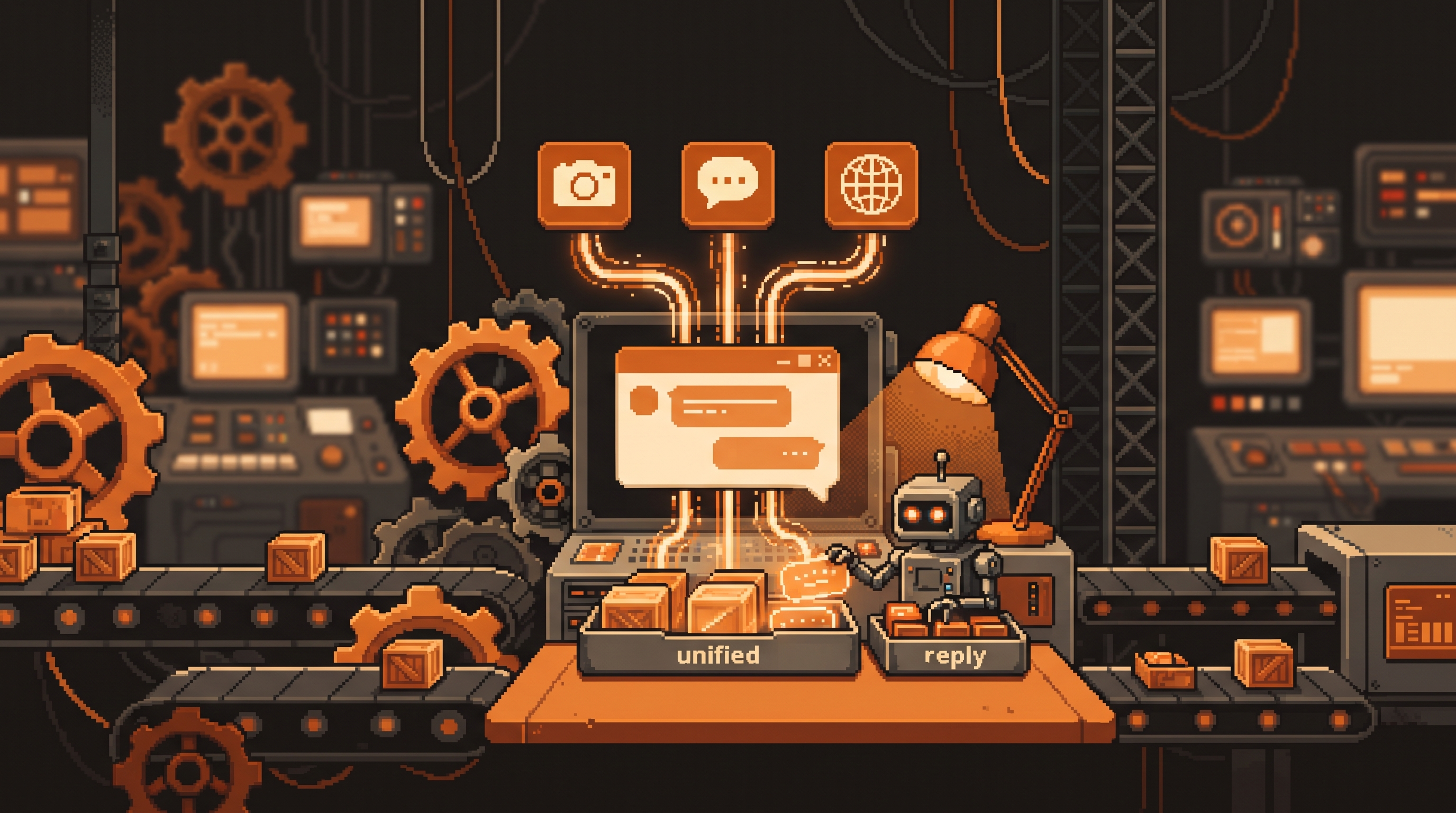
Automate Social Media Management Using AI Tools
If you run a business on social media, you already know the grind: twenty comments to answer, a dozen DMs, three platforms to check, and somehow a post that needed to go out an hour ago. The manual workload is real — but it's also the most automatable part of your day. You don't need to hire a community manager to keep up; you need a unified inbox that pulls every message into one place, and an AI behind it that can respond, analyze, and draft while you focus on the bigger picture.
Quick Answer
Automate social media by connecting your accounts to a unified inbox that centralizes comments and DMs from Facebook, Instagram, and WhatsApp, then wiring that data to an AI model like ChatGPT or Claude. The AI handles high-volume, keyword-triggered replies and analyzes what's winning, while human agents see only the complex or sensitive cases. Add a "keyword-to-DM" flow to turn comments into private-message leads automatically.
Key Takeaways
- Unified inbox — manage comments and DMs from every platform in one dashboard.
- AI integration — connect the data directly to an LLM to analyze engagement and sentiment.
- Keyword-to-DM triggers — automate sending links or offers when a user comments with a keyword.
- Data-driven strategy — repurpose what's already working instead of guessing.
The App-Fatigue Problem
The first wall you hit is jumping between Instagram, Facebook, TikTok, and WhatsApp just to see if anyone messaged you. That's app fatigue — and it's where comments get missed and customers get frustrated.
A unified inbox pulls every comment and direct message into a single dashboard. Instead of checking four apps, you check one:
- Respond to customers faster.
- Never miss a message buried in a specific app's notification settings.
- Use tools that expose an API (Application Programming Interface) — a way for machines to read the messages programmatically.
That last point is the key. A human-facing inbox is convenient; an API-readable inbox is automatable.
Turning Your Data Into Content Strategy
Once messages are centralized and readable by machines, you can feed them to a Large Language Model (LLM) — the tech behind tools like ChatGPT and Claude — to spot insights that are hard to see by hand.
Analytics and Trend Spotting
Stop guessing what to post. Feed the AI several weeks of analytics and ask it to find the "winners" — posts that earned engagement or shares. Then prompt it to suggest five new content ideas built on those specific themes.
Prompt: "Here are my top 10 posts by engagement from the last month.
Analyze what they have in common, then suggest 5 new post ideas
that lean into those same themes."
Your future content becomes rooted in what your audience actually enjoys, not your guess about it.
Sentiment Analysis
Advanced automation can filter interactions by sentiment. Positive comments get an automatic, on-brand "Thank you" or a prompt to keep chatting; neutral or negative ones are flagged for a human to handle personally. You stay responsive at scale and keep the sensitive conversations in your hands.
Building Keyword-to-DM Workflows
One of the highest-leverage automations in social is the keyword-to-DM flow — where a user's public action triggers a private message. Here's how it works:
- The trigger: a follower comments on your post with a word like "INFO" or "GUIDE."
- The filter: the system detects that specific keyword.
- The action: it auto-sends a DM with a link, a coupon, or more info.
This turns comments into qualified leads without you manually sending dozens of links. And it feels human when AI drafts the reply in your brand voice rather than a generic robot line.
Connecting Tools via MCP and APIs
To make this real inside an advanced AI platform, you connect your accounts through an MCP (Model Context Protocol) or a standard API. In plain terms, these are bridges that let the AI reach out and pull live data:
- Your current follower count.
- Recent comments and who left them.
- Engagement numbers and trends.
# Conceptually, an MCP bridge exposes your inbox as a source the AI can query:
#   social.get_comments(platform="instagram", since=1day)
#   social.get_dms(platform="facebook")
#   social.sentiment(comment) -> positive | neutral | negative
Once those bridges are in place, the AI becomes a teammate for the daily "busy work," letting you focus on strategy and growth.
Frequently Asked Questions
What is a unified inbox?
A centralized platform where messages from multiple sources — Facebook Messenger, Instagram DMs, WhatsApp — are gathered into a single interface for easier management.
How does keyword-to-DM automation work?
It detects specific words in a user's comment or message. When a predefined keyword appears, the system automatically triggers a programmed response — like a helpful link or a promotional offer — to that user via private message.
Can AI actually write responses for my customers?
Yes, but it's most effective with "filtered" logic. Have the AI handle only common high-volume questions or positive sentiments, and route more complex issues to a human representative.
What is an API in social media automation?
An API (Application Programming Interface) is the "doorway" that lets one piece of software talk to another — like an AI tool reading Instagram data. It's what makes the automation possible at all.
Final Thoughts
Automated social media management isn't about going silent — it's about going present everywhere. A unified inbox plus an AI that analyzes, drafts, and triggers responses means no valuable interaction is lost while you reclaim hours. Set up the bridges, keyword flows, and sentiment filters once, and your community gets faster, on-brand responses at a scale you couldn't keep up with by hand.
Related posts
How to Build a Personal Brand from Scratch: A 30-Day Roadmap

Using AI for Self-Reflection: A Guided Prompt Chain
Understanding AI SEO (AEO): How to Get Your Brand Noticed by AI Engines